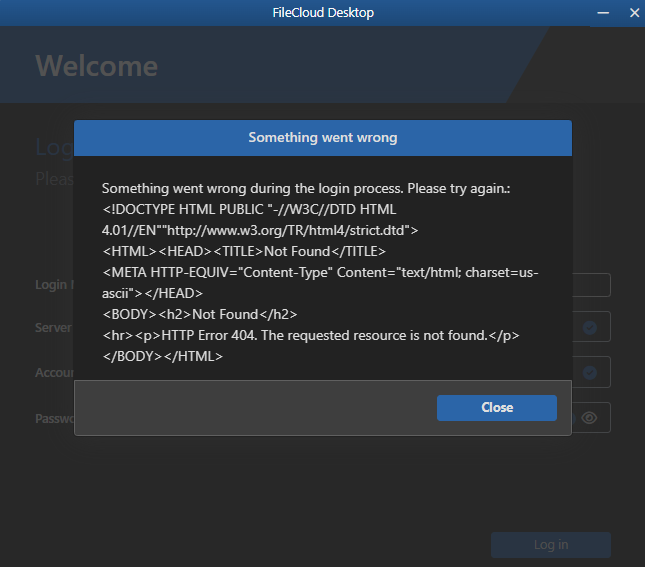
i installed filecloud on my windows server. I am able to login using 127.0.0.1 for admin and users. When i try to login using a domain url (sudomain.domain.com) the user is logged in but directly being redirected to the login page. the android app show an error message, login expired, you are being redirect to the login page. the desktop app shows an error message: something went wrong… and an 404 error.
things i did try
disabled the ip check in settings misc.
in the windows local hostfile, added the domain for 127.0.0.1
apache, configured vhost for the domain
in the cloudconfig.php, added the domain to the allowed hosts
in settings/server, server url, I added the full domain url
I use http for know I will be setting up https if I get the basic login to work.
Is there any firewall, load balancer or anti-virus in place on your server?
If so, can you please whitelist the XAMPP directory from any Firewall or Anti-virus.
@johncleary - Default window server firewall and allowed the http and https ports on the server as well as the router. I changed the default portnumbers in the configuration file.
The strange thing is with the windows filecloud sync software, there are not connection/login problems. And syncing files works fine. The filecloud desktop app has the same issue. So i wonder what is the difference between the filecloud sync and desktop app / android app / website login.
By adding an exception for windows defender virus scan for the Xampp dir the windows filecloud desktop app works.
Android app and website still don’t work.
The android apps loads the app but immediatly logs out .
For the windows firewall I cannot exclude a complete directory only files.