So this error came out of nowhere… But my searches on the error were less than helpful, so I thought I’d document it here:
After a few days of FileCloud being used successfully, some of my users started getting this error:
Invalid License HostCLFC-00035-00155
This included users who were just fine the day before. However, I was able to access the server fine! And while researching the error, all I could find were links to purchase more licenses…
Turns out the problem was user stupidity! We have an Internal Domain that is similar to our external domain and users were specifically typing in the wrong domain. i.e. https://files.INT.domain/ rather then https://files.domain/.
Even though I have a rewrite rule in the Apache Config, it only rewrites the URL in HTTP not HTTPS. So if the users types in the URL with HTTPS:// it never takes effect.
Anyway, my testing found that you will get the license error if you use an incorrect URL. I’m not sure if it is a HTTPS Certificate mismatch on the different name or the license itself is hard coded to a specific DNS, but I did find that it works if you use an IP Address…
Filecloud license is issued only for a specific domain unless you order an SPLA license for a multi-tenant site. So if users try to access the user portal using another URL which is pointed to the FileCloud server, then users will not be able to log in. This is not applicable when you access the FileCloud server over IP, so users should be able to access the IP without any issues.
It’s recommended to configure FileCloud URL to be accessible via https. Are you referring to https://files.int.domain/ to https://files.domain/ redirection? We don’t recommend custom redirects or redirect from http to https because mobile apps and other clients do not follow redirects (for security). Therefore it’s recommended to make these changes in your firewall or router to redirect all requests to https://files.domain to avoid such issues.
I was thinking that was the case. I do have redirection on the HTTP side, but I don’t on the HTTPS. I have found in the past that if I enable it in HTTPS weird things break.
Regardless, as long as I know about this I can advise people what to do to fix the problem.
Are trial licenses for the community edition still being sent out? I signed up for one almost 24hrs ago and it never came through. I’ve checked my spam folder, etc.
@somitha.syriac
I am having similar issue after updating to yearly community license. advise me how to resolve.
error happened after updating from trail license to community license.
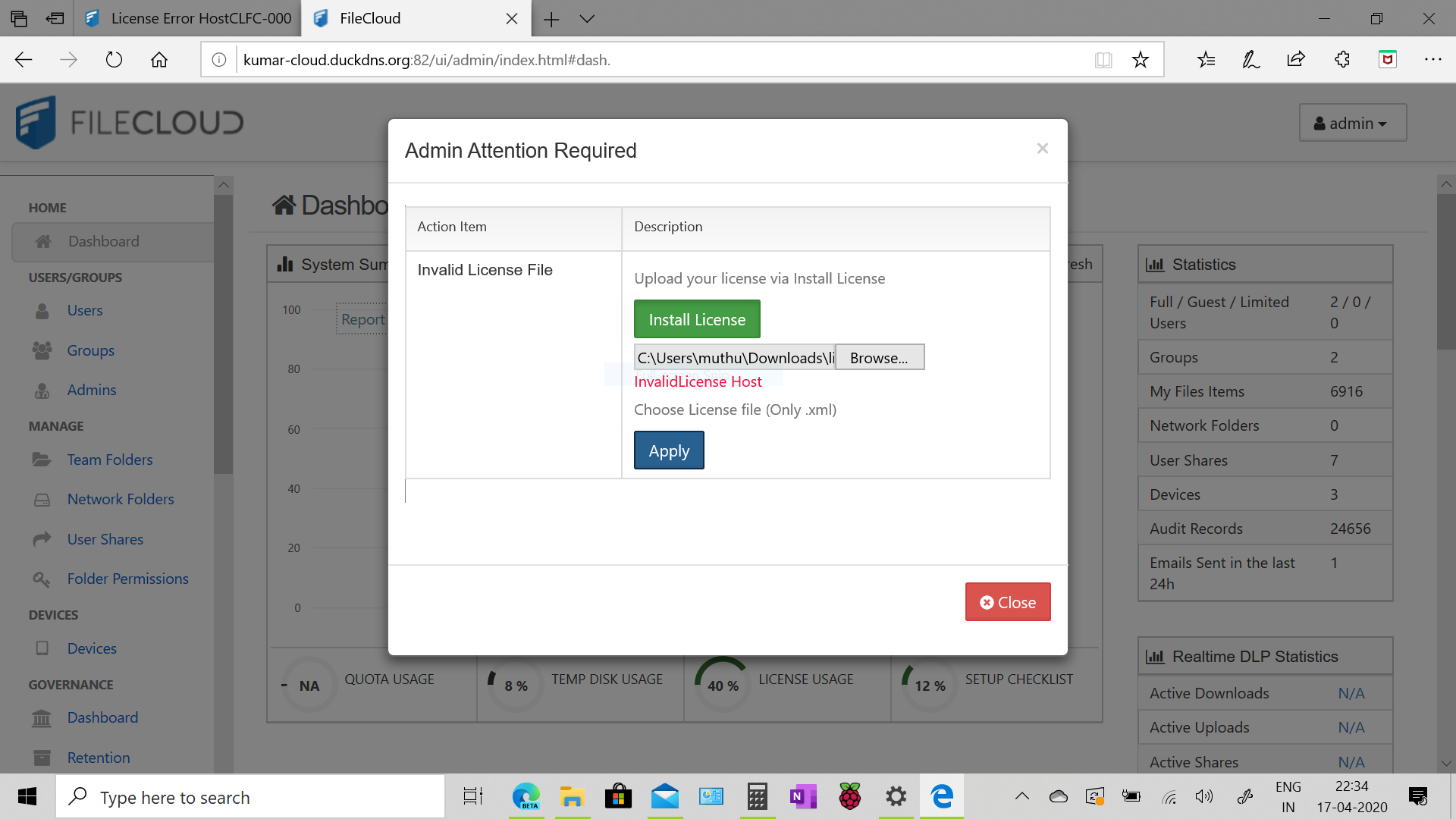
Yes, the url includes :82 port. I am able to login to admin account only. Immediate after I login to admin account, got the Admin attention required screen showing to “Install New License file”
When I tried to install my license.xml file, receive error message “Invalid License Host”.
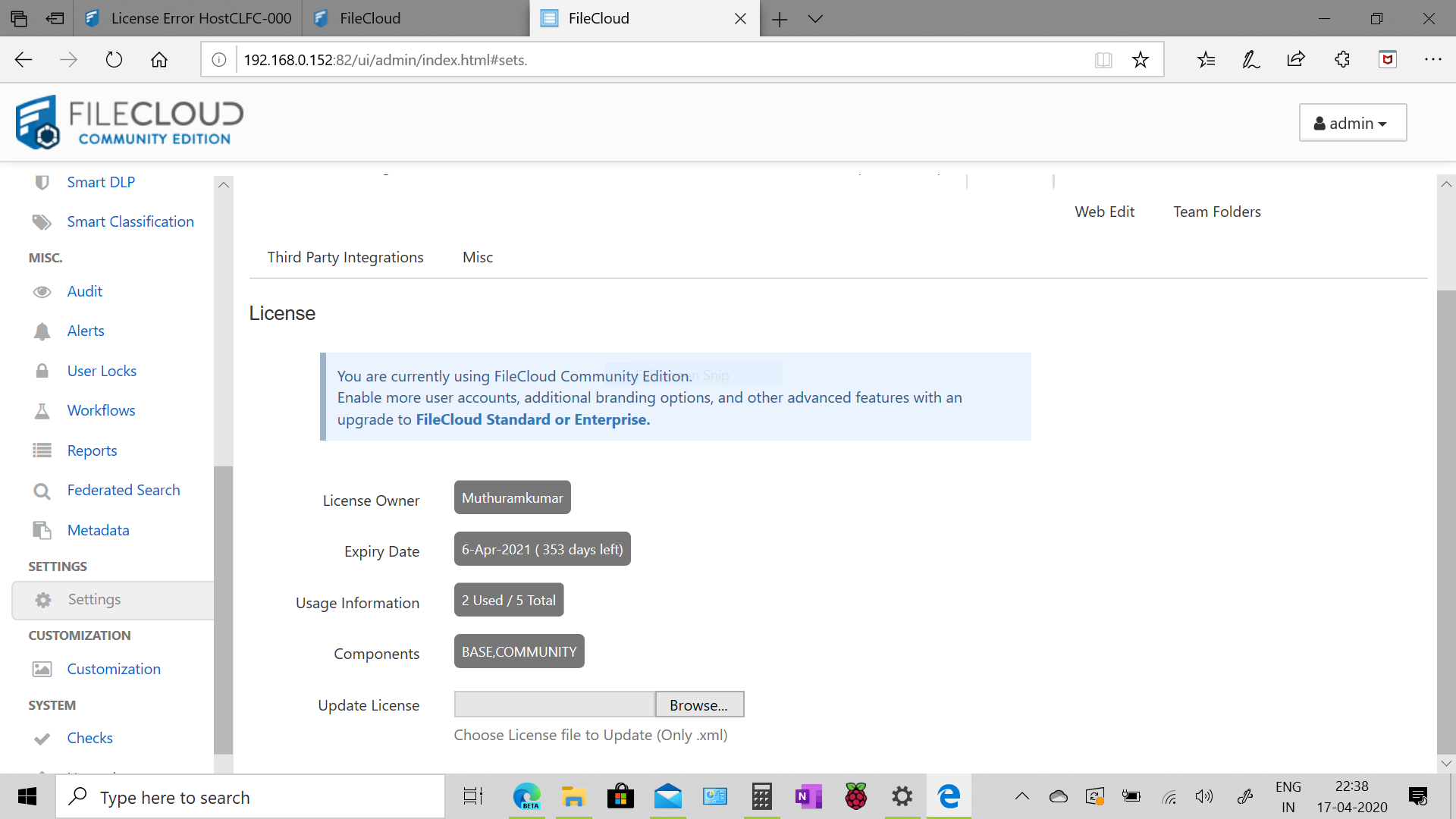
But, when I login to my local ip address 192.168.xxx.xxx, license file is updated till April 2021
Also note that when i login in to user account, received error message “IInvalid License HostCLFC-00035-00155”
Can you please share us the screenshot of the following pages:
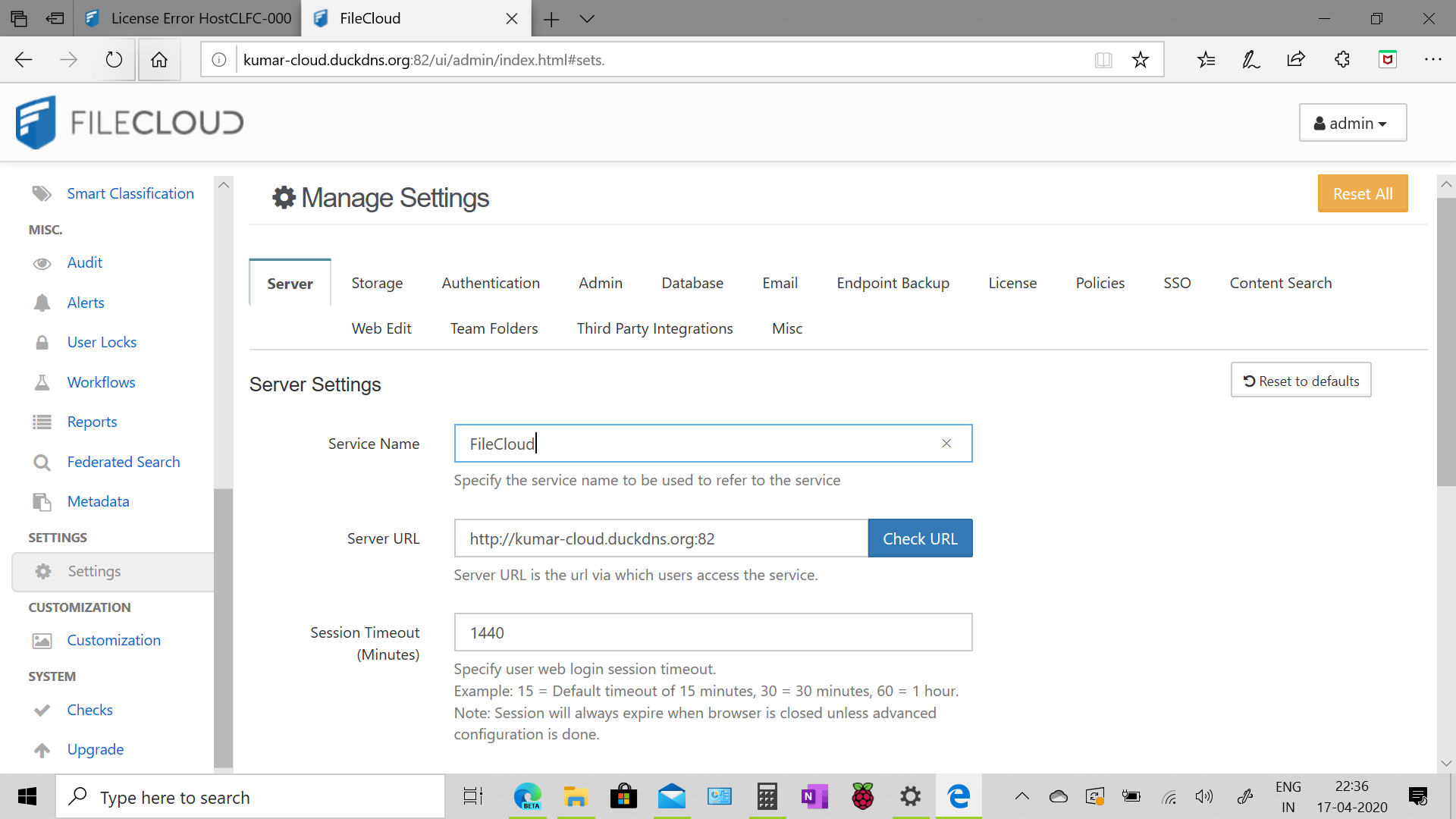
1.The option Server URL from Admin portal >> Settings >> Server >> Server URL
2. Screenshot of the web browser URL when you are installing the license on the Admin page.
If you are facing the same license error, this will not be because of the port included in your URL. To check the issue, can you please check the user portal and provide us the logs as mentioned in the previous update.
However, if you wish to change your URL, then please mail to sales@codelathe.com, and our sales team will assist you.
Sorry for resuscitating this thread but I just ran into that same issue on my installation of FileCloud. When I first registered my community license for FileCloud I did it under a local IP address… rather than using that to connect I created a domain name which is what I would like to use from now on, but I encountered that if I used that, the license wouldn’t allow me to log in…
Is there any way we can change that so I can use the domain name instead? This was a recent change, and I had no plans of doing it when I purchased the License key, but it has turned out to be a change I need.