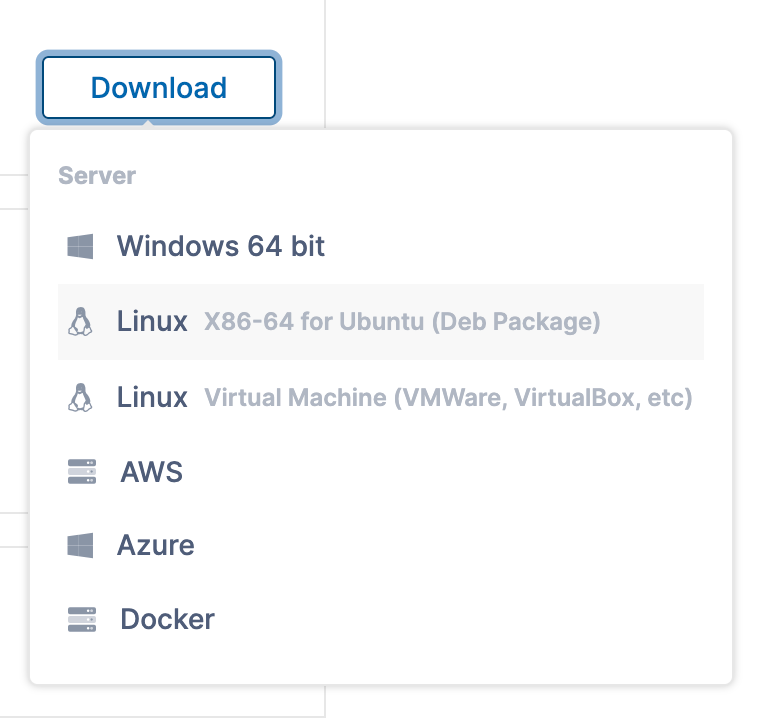
I am trying to download the FileCloud Community Server. When I click the Download button it opens a Dropdown:
From there I choose the Linux x86-64 for Ubuntu (Deb Package). It opens this link: https://www.filecloud.com/supportdocs/fcdoc/latest/server/filecloud-administrator-guide/installing-filecloud-server/installation/direct-installation/installation-of-filecloud-on-linux-using-the-repository
The page that opens gives you two options to check out:
Installation for Ubuntu 22.04 LTS
Installation for RHEL 9
Regardless which Linux Distro you pick, the link that opens doesn’t work:https://www.filecloud.com/supportdocs/fcdoc/latest/server/filecloud-administrator-guide/installing-filecloud-server/installation/direct-installation/installation-of-filecloud-on-linux-using-the-repository#undefined
And this basically lets you stuck in a loop forever without being able to download the Community Server.
Could someone please provide a working link that I can use to Download the Installation for Ubuntu 22.04 LTS please?
TTE77
April 23, 2024, 12:23am
2
On that second link you provided are instructions how to install FC on Ubuntuhttps://repo.filecloudlabs.com/apt/ubuntu is broken
Installation for Ubuntu 22.04 LTS
To install FileCloud on Ubuntu 22.04, complete the following steps:
Enter the following commands:
curl -fsSL https://pgp.mongodb.com/server-6.0.asc | sudo gpg -o /usr/share/keyrings/mongodb-server-6.0.gpg --dearmor
curl -fsSL https://repo.filecloudlabs.com/static/pgp/filecloud.asc | sudo gpg -o /usr/share/keyrings/filecloud.gpg --dearmor
echo "deb [ arch=amd64,arm64 signed-by=/usr/share/keyrings/mongodb-server-6.0.gpg ] https://repo.mongodb.org/apt/ubuntu jammy/mongodb-org/6.0 multiverse" | sudo tee /etc/apt/sources.list.d/mongodb-org-6.0.list
echo "deb [ arch=amd64 signed-by=/usr/share/keyrings/filecloud.gpg ] https://repo.filecloudlabs.com/apt/ubuntu jammy/filecloud/23.232 main" | sudo tee /etc/apt/sources.list.d/filecloud.list
apt-get update -y
apt-get install apache2 mongodb-org pigz -y
apt install -y --no-install-recommends php8.2*
ACCEPT_EULA=Y apt-get install filecloud -y
Hi @TempusThales
Could you please try to follow instructions provided in the following doc and let us know how it goes. Please try to follow the instructions one after the other
I have this problem 2? Is there a new link?
Hi
Kindly try to download the community edition from here https://ce.filecloud.com and then you can follow the instructions provided in the support documentation FileCloud Community Edition Registration and Installation - FileCloud Docs - Server