Hi,
When trying to import the virtualbox image downloaded from the portal, I get an error stating “Extra content at the end of the document”. Location: ‘C:\Users[User]\Downloads\FileCloud_OVF\FileCloud\FileCloud - For VirtualBox.ovf’, line 80 (0), column 7.
|Result Code:|VBOX_E_FILE_ERROR (0X80BB0004)|
|Component:|ApplianceWrap|
|Interface:|IAppliance {86a98347-7619-41aa-aece-b21ac5c1a7e6}|.
Currently running virtualbox version 7.0.10 r 158379.
Hi,
- Just for clarification, are you trying to import the FileCloud through Virtualbox?
- Can you try to delete the previously downloaded file and clear the file path and try to re download and import it again?
Delete the contents in C:\Users[User]\Downloads\FileCloud_OVF\FileCloud\FileCloud - For VirtualBox.ovf and then download and import the ovf file again.
Kindly follow the instructions provided here VirtualBox - FileCloud Docs - Server
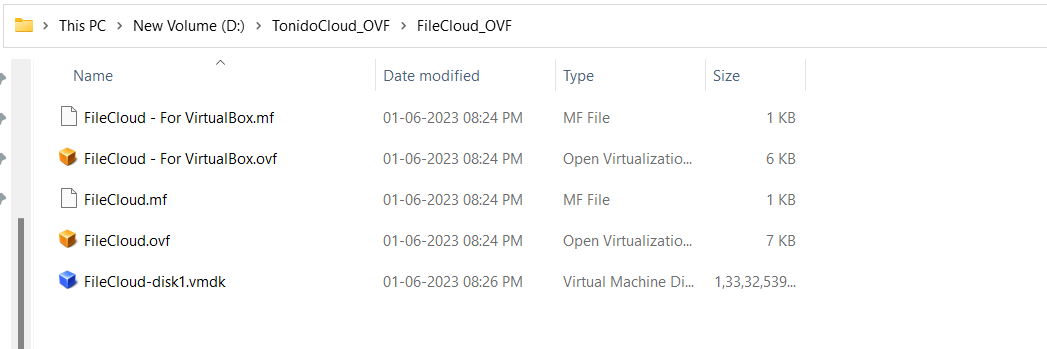
For example here we have downloaded FileCloud for VirtualBox in D:\TonidoCloud_OVF\FileCloud_OVF
If I wish to re download it again then I have to clear the files and folders in this path and re download them again and then can import without any issue
Happy to help
I have tried to redownload the files with no luck - even changing the directories where it is saved.
Also yes, I am trying to import using VirtualBox using the document linked. Same error
Hi
Errors of that kind usually mean that the .vbox file is corrupted. The cure is to delete it and rename the backup “.vbox-prev” file to “.vbox”
Kindly provide us with your OS and CPU details
I do not see a .vbox-prev file, but any time i download the files from the portal, I receive the same errors.
Tried on two different computers both on Win11. One has an AMD Ryzen 9 6900HS and the other has AMD Ryzen 7 5800X. Both have their virtualization technologies enabled in BIOS.
Hi
Thank you for trying kindly provide the screenshot of complete OS details along with the complete CPU information