After updating to a new version. User import stopped working.
All users of the second domain have lost access.
The adconfig.php file is fine.
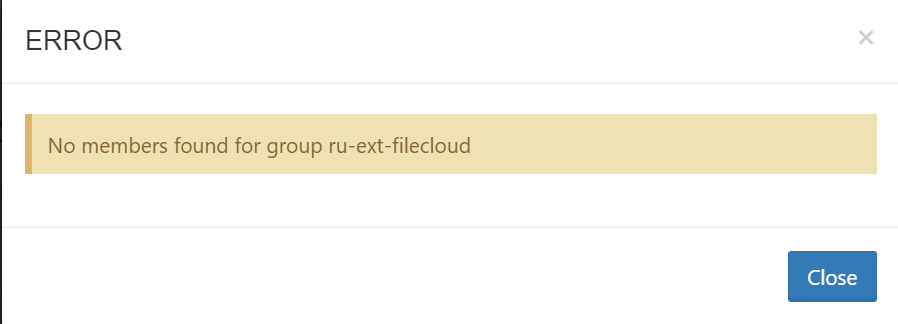
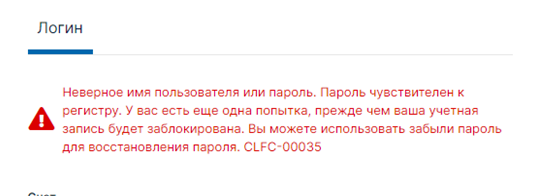
After updating to a new version. User import stopped working.
All users of the second domain have lost access.
The adconfig.php file is fine.
Hello @Accountor
Please share with us the FileCloud Log from the server after setting the LOG level to DEV. You can do this by navigating to Admin Portal > Settings > Server > Log Level.
Once the log level is set to DEV, try to reproduce the issue and send the logs. You can find the location of the logs as follows.
Windows: \xampp\htdocs\scratch\logs\log_YYYY-MM-DD.txt
Example: C:\xampp\htdocs\scratch\logs\log_2020-06-27.txt (Select the latest date)
Linux: /var/www/scratch/logs/log_YYYY-MM-DD.txt (in Ubuntu 14.04 and later /var/www/html/scratch/logs/log_YYYY_MM_DD.txt)
Also, please let us know the second AD domain name too.
Hello @anand.prabhu
log was in PROD.
I rolled back the server to the stable version.
Hello.
I will update it again at the weekend to make Logs.
Is there a way to go back to the previous version of the update using FC?
I am currently using a snapshot of the system.
Hello @Accountor
If you are on a windows server, you can rename the backup xampp folder to xampp to revert the system.
However, if you are in a Linux environment, the better option is to take a snapshot and restore.
Updated to the latest version. The second AD sees that synchronization is taking place, but users cannot log in from it.
the name of the second domain rudcsrvad02.extru.local
The log from the server is attached.
Any idea why users can’t log in? Why is the password not suitable?
Hello @Accountor
Please upload the second AD settings to the below share link.
Hello @anand.prabhu
uploaded it.
Hello @Accountor
We apologize for the delay in getting back to you.
Please check whether the account used for " TONIDOCLOUD_AD_ACCOUNTNAME_1 " has an email address assigned to it on the AD.