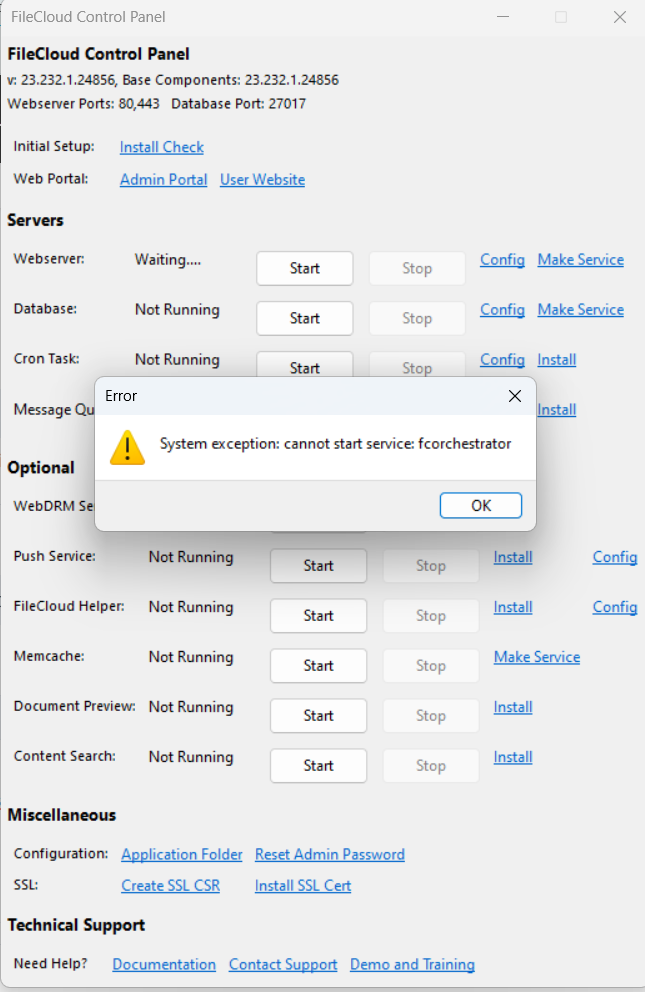
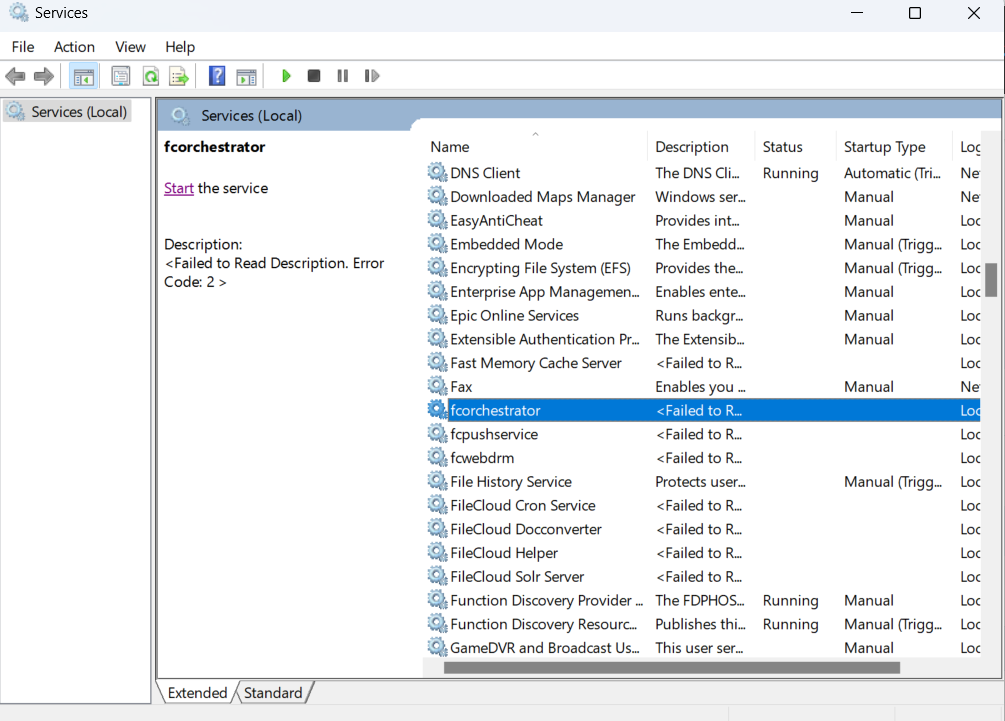
I recently installed File Cloud CE in one drive uninstalled and reinstalled it in C drive, now when I try to start Webserver, it is showing cannot start service: fcorchestrator. I checked in services, it is showing failed to read description. Please help.
Hi
Could you please provide us the screenshot from windows start > services then start the service and provide us the screenshot of the same
Thank you
Hi
Could you please confirm if you can start other services without any issues? How exactly you performed the uninstallation?
Dakshini or OP,
Was there ever any resolution on this? I’ve been trying to evaluate community edition on Server 2022 [which is also the domain controller]. FC v:23.232.1.24856 (I had almost all working well, when
After uninstalling and reinstalling, I receive the same error OP noted. Sometimes the forchestrator services goes paused. I’ve done this now a couple of times [with system restarts]. I’ve also, noticed having to manually remove C:\xampp and having to remove the following services manually…
sc delete Apache2.4
sc delete MongoDB
sc delete cloudCron
sc delete fcdocservice
sc delete cloudntfs
sc delete solrservice
sc delete fcwebdrm
sc delete fcpushservice
sc delete fcorchestrator
sc delete memcached
Is there one I’ve missed? The ‘make a service’ and install seem to work after re-install. Database starts but webserver will fail because forchestrator/ message Queue is not starting.
Thanks for any ideas.
PS - A couple of notes for others who come across this thread of installing/ reinstalling…
#1 - If you install on another location (aka. H:\xampp), you will encounter some issues. Note you will need to change the Database Configuration (a file), to update the following line.
dbpath=C:\xampp\mongodb\bin\data
#2 - I made the mistake of moving storage location [note to others]… this is a big no, no).
1 Like
Sorry for late reply,
Yes after uninstalling services from cmd. It is now working. Thank you for your help.
Also thanks to CaptianFid for pointing out the main cause of the issue. Hopefully this post might resolve others having the same issue!
2 Likes
Hi
Glad to know that it is working fine now.
If you find any difficulty kindly reach out to us we are here to help you out
thanks