I’m really just looking for info on how other FileCloud admins handle transferring or giving others access to a user’s “My Files” folder after the user leaves an organization. For comparison, when someone here leaves we transfer all of their Google Drive documents to their manager using GAM (super-easy, just takes a one-line command to do). But I can’t find a way to transfer files from one user to another in FileCloud.
So what do you all do with a user’s files when they’re no longer a user?
You can manage this with the help of user access levels. Kindly refer to the following support docs for more details on this
A user can be disabled from admin portal > users > edit > scroll down to status and change the status to disabled > save
In the following support doc you can find details on disabling a user account
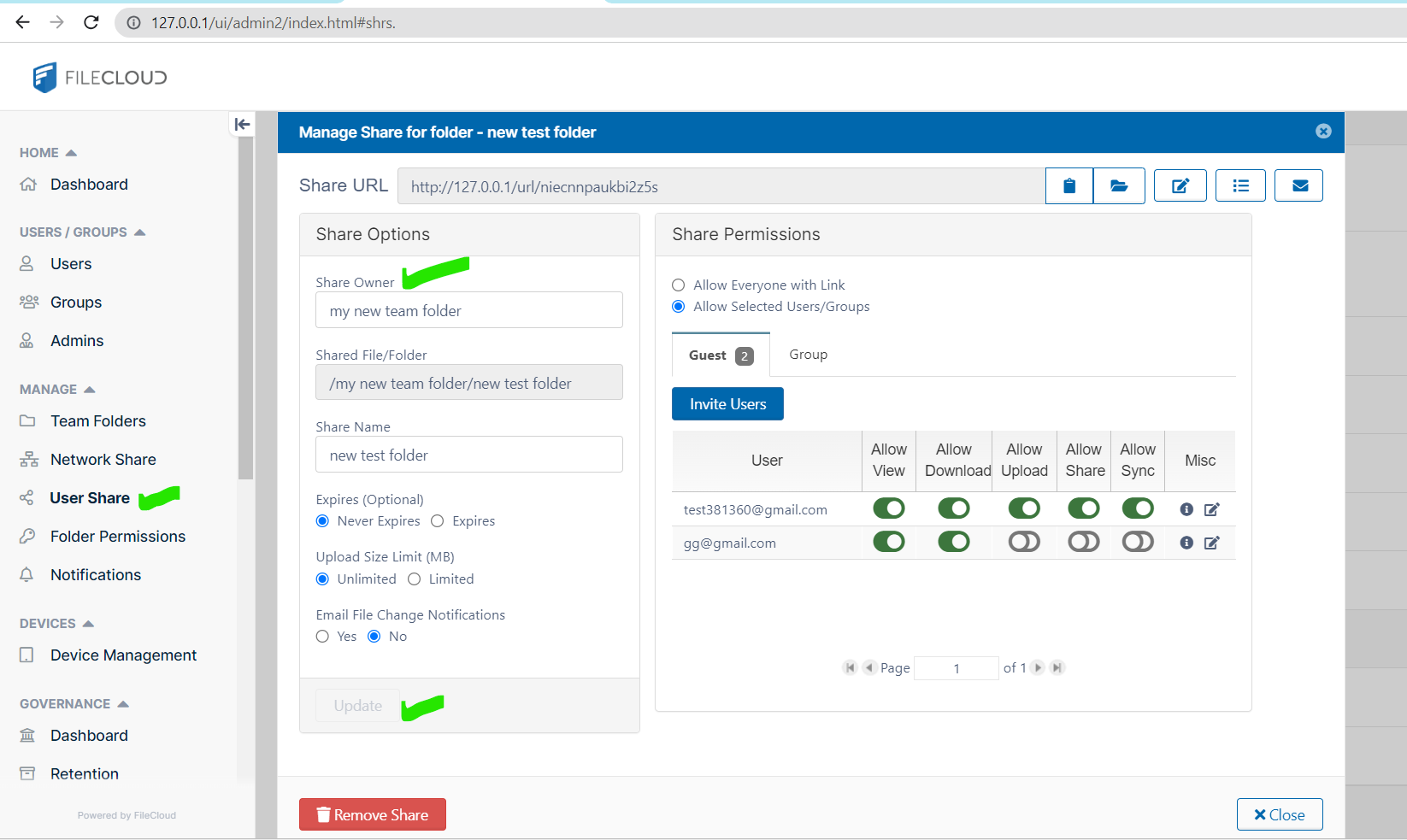
Please know that the shares owned by the disabled user would not be accessible. However, it can be accessed if you change the Share Owner. By changing the Share Owner, even though the User Account is disabled, their private/public shares can be accessible. It can be done as follows
Login to Admin Portal > Navigate to User Shares > Select the associated Share and then click Edit Share Option under Actions > Now under the Share Option, change the Share Owner name > Update the changes
Thank you, Dakshini, but this isn’t what I’m looking for. I want to know how people are getting the files from one person’s “My Files” folder to another person when the first person’s account is disabled.
I have whole other issues/complaints when it comes to transferring shares…
Also know that when any account is disabled the share links will also disabled so to avoid any issues during such scenario you can follow the suggestion of changing the share owner as mentioned in the previous response. You can try following below method for moving or copying files between user accounts