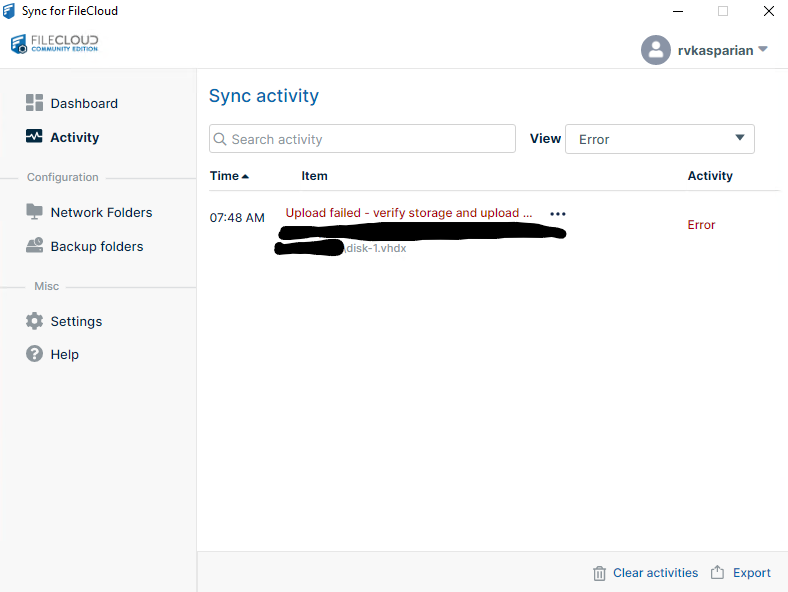
I am trying to use Sync for FileCloud to backup a directory of files on a Windows 2022 server. Unfortunately, a few larger files are failing to upload with an error: Upload failed - verify storage and upload permissions : CLFC -50018-Uploading the file failed.
Anyone seen this before? I verified that I have available space within the FC server. I have no upload limits on storage or size. Other files in the same directory are uploading ok. I verified the NTFS permissions and they are the same on the working files as they are on the files are failing. The file names are very basic without special characters. These files are .vhdx files.
Here is the only thing I see in the log:
09-04-23 12:23:13:554 [19] :T: **** RMC CHECK ****
09-04-23 12:23:13:578 [19] :T: -------------------------------------------
09-04-23 12:23:13:580 [19] :T: RMC Health: 1
09-04-23 12:23:13:582 [19] :T: RMC Payload: Available Disk Space:22085.30 GBBackup Folders:D:|E:\VM_Backups|Backup:19396.74 GB, 173774 filesBandwidth Limits (Alternative)No Rate Limits SetBandwidth Limits (Global)No Rate Limits SetDocIQ Lock On Edit:DisabledDocIQ:EnabledMac Address:90:e2:ba:c2:f5:1cOffline Folders:Offline:0 B, 0 filesRealtime:10.60 GB, 291 filesRemote Management:DisabledSelected Folders:Sync:EnabledTime Active Controls:Disabledattr:StatusRecent sync errors detectedattr:accountloggedin1attr:disablemyfilesDisabled
09-04-23 12:23:13:588 [19] :T: -------------------------------------------
Hi @rvkasparian,
- Could you please confirm the location to which you are trying to upload?
- Can you upload it through web ui?
- Are you using backup option or doing normal sync?
- Is it happening with only specific file types or for all file types? and can you let us know the files with what size are failing to upload?
We will be waiting for your update
Looks like it fails when trying to upload the file manually through the web interface as well. Looks to be related to my cloudflare setup maybe?
Blockquote
disk-1.vhdx 502 Bad Gateway
502 Bad Gateway
cloudflare
Blockquote
120 GB - Backup Option, backing up to backup folder where everything else is working.
Any suggestions?
Hi @rvkasparian
Thank you for the update.
Do you have the permissions to upload the files on the path ?
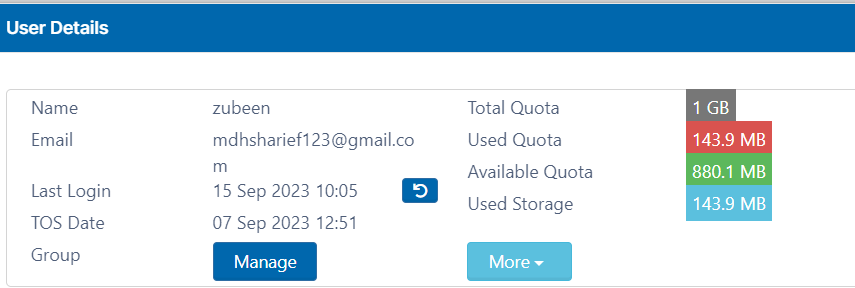
Have you verified whether the user have enough quota space from Admin portal >> users >> edit users as below ?
Update: I worked through eliminating Cloudflare proxy and setting up standard https access with a signed SSL Cert.
Copying the large hyper-v backup (.vhdx) files via the web interface works without issue. Uploaded the files to the exact backup location to ensure permissions are not the issue.
Unfortunately, Backing up the file via Sync for FileCloud - Backup, fails with CLFC-50018 Verify Storage and Upload Permissions. Upload Failed. Thousands of other files backup without issue.
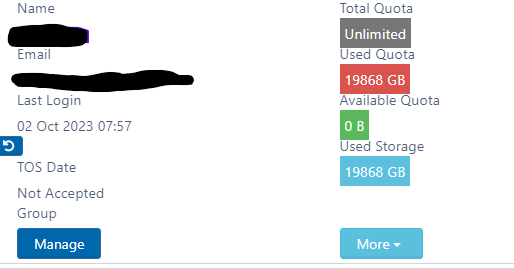
I verified that user has an unlimited quota and there is enough space to upload the files.
Hello @rvkasparian ,
Can you upload the Sync for FileCloud log files after attempting to upload the same file that is failing to upload?
To reach the logs, open up Sync for FileCloud → Settings → Help → Export Sync log file.
Please upload the generated log file to: FileCloud