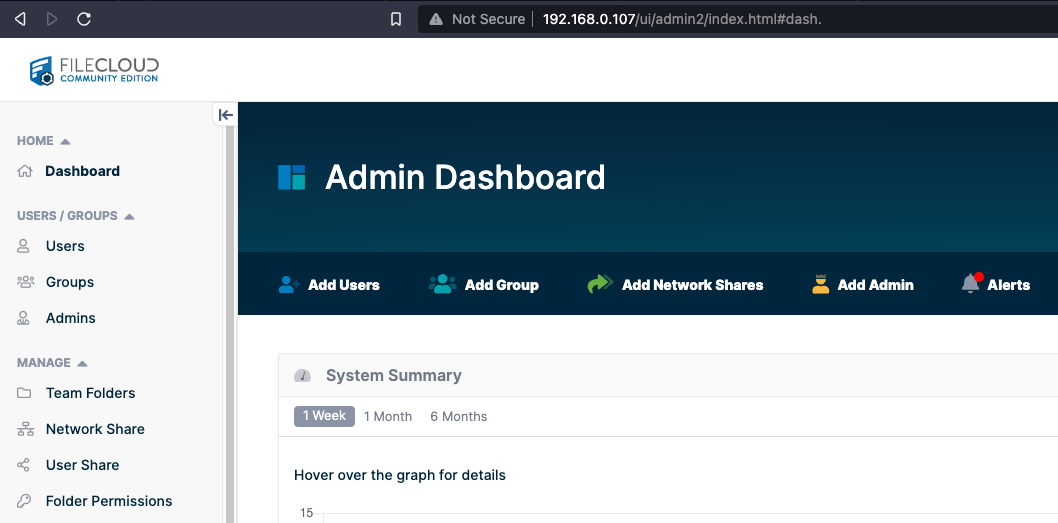
I have -just- installed FileCloud on an LXC container with Ubuntu Server 22.04 following the steps in the guide. I managed to get the server up and running, and I can see by going to my local.ip.add.ress/install that all boxes are checked.
I then proceed to /admin, and after using “admin/password” combination, the login box greyes out and the process gets stuck there.
Facts:
Using an incorrect pair of u/p is denied
I did reset the password (just in case) using resetadminpw.php to no avail
I did also try using Firefox / Chrome / Safari, no dice
While this is happening, nothing in /var/www/html/scratch/logs is getting logged.
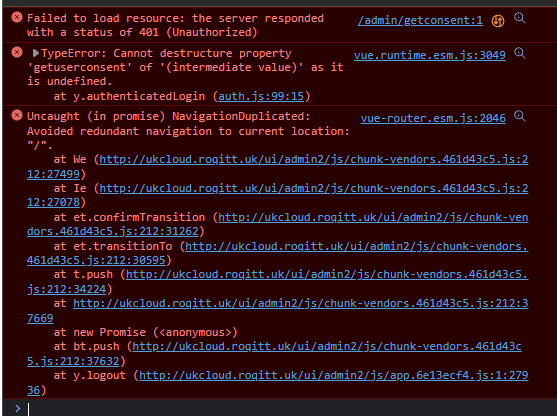
I do see a 401 error in console that reads “GET ht tp://192.168.0.107/admin/getconsent 401 (Unauthorized)” which I suspect where the problem might be coming from.
I can also see in the console this sequence:
ht tp://192.168.0.107/admin/adminlogin?time=1687561228 (HTTP OK 200)
ht tp://192.168.0.107/admin/getconsent (HTTP 401)
ht tp://192.168.0.107/admin/logout?time=1687561228 (HTTP OK 200)
so, it does seem it’s logging me in, something is not letting me get a cookie / session / something, and FileCloud is kicking me out right away (no diff in time stamp).
Also, I destroyed the container and started all over twice with same results… Out of ideas at this point. Any clue on this one?
We’re also experiencing the same issue on our server too. We were beginning to think it was just us. Came here looking for a solution after finding no results on Google.
Any developers or anyone else may know what the issue may be? Would be cool if we could find a solution as soon as possible. We’re really hoping to eventually migrate our internal documents over to Filecloud.
That’s interesting, maybe something broken in the current version? I’m not really a developer so I was unable to troubleshoot any further, but I guess I’ll try to find a previous version and see how that goes. Unfortunately I’m no longer in my lab, so I’ll get hands on tomorrow morning. I’ll report back here.
Oh… I must add that it’s not a file permission problem either, it’s all 644 / 750 and owned by apache2 user.
After multiple attempts in various different browsers and checking the developer console within each browser, it looks to be mainly caused to some buggy source code. See below for some screenshots. It is also worth noting, there are a lot of other errors in yellow too, but I left them out in this response as they don’t look to be that relevant to what could be the root of this issue.
Alright, I managed to install a previous version (22.1) without issues, so it does seem there’s something buggy in this release.
I had, however, to install MongoDB 4.4 and PHP 8.1 for this to work, and used Ubuntu 20.04 as start point. In case you’re interested in running this older version (I’m installing it for fun/personal use) here’s what you’d need to do:
I had the same issues as well. After checking the /install, clicking extended checks I noticed an error
Please use HTTPS protocol with Secure cookie setting (TONIDOCLOUD_SECURE_COOKIE) or please change TONIDOCLOUD_SECURE_COOKIE=0 setting in cloudconfig.php
I changed the config to 0 and restarted apache and able to access admin portal. Hopes this helps.
After install. I ssh into the server and edit the following file /var/www/html/config/cloudconfig.php
Look for the line with “define(“TONIDOCLOUD_SECURE_COOKIE”, 1);” and change it to zero.