Hi, I have installed filecloud on windows 10 and I have set up filecloud helper. So I have added a network folder on filecloud but I sometimes don’t see all of the files in certain folders (I have a lot in the folder) so I followed the steps online to implement the indexing on the Network Folders and no matter what I do it does not want to count the files and folders that are on my machine even if it says that everything is installed.
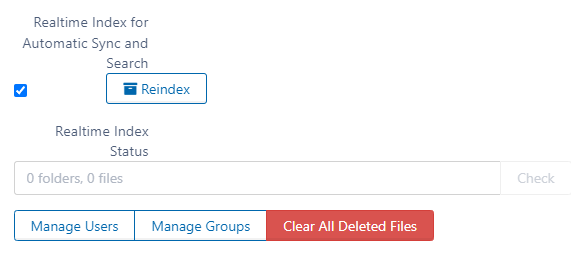
Hi @kibra321,
No worries let me check this for you.
Kindly provide us with the realtimeconfig.ini file in the FileCloud Helper install folder which you can find in the following location:
(Drive letter:\Users\username\AppData\FileCloudHelper) OR (c:\xampp\FileCloudHelper)
Also, provide us the cloudconfig.php file found on the WWWROOT config folder (c:\xampp\htdocs\config or \var\www\config)
You can upload the files here: FileCloud
You can also try to check again by referring the following support doc, please make sure not to skip any steps:
Happy to help
It was sent I had to rename the .php into .txt to be able to send it
Hi,
Thanks for the details.
Upon checking I could see that, securitykey password updated in realtimeconfig.ini is not saved under the file cloudconfig.php which can be found on the WWWROOT config folder (Drive letter:\xampp\htdocs\config or \var\www\config)
Kindly add the following line in cloudconfig.php file and then save the changes. Restart the FileCloud Helper and check again
define(“TONIDOCLOUD_PUSH_KEY”, “pop123”);
Save and restart the FileCloud Helper Service through the FileCloud Control Panel.
I have already added that line it is the last line of the php file
Hi @kibra321,
Upon checking the uploaded file cloudconfig.php which was renamed to cloudconfig.txt from your end, we could see that define(“TONIDOCLOUD_PUSH_KEY”, “pop123”); line is not present.
Have you restarted the FileCloud Helper once after making all the configuration changes?
Kindly provide us the screenshot of both FileCloud Helper and cloudconfig.php file showing updated line define(“TONIDOCLOUD_PUSH_KEY”, “pop123”);
You can upload the screenshot here:
https://zerg.codelathe.com/url/2bfubgzmus3rrtkc
Hi,
Thank you for the screenshot.
To further troubleshoot the issue we will require the FileCloud server logs
Please reproduce the error again with server logs in debug mode.
To enable debug mode, open the Admin Portal, go to Settings-> Log Level, and set it to “DEV”.
Then please replicate the issue and send us the logs.
Please download the logs in FileCloud Admin Portal → SYSTEM → Checks → Generate Logs.
You can find the FileCloud logs manually from here:
Windows: ?:\xampp\htdocs\scratch\logs\log_YYYY-MM-DD.txt
Linux: /var/www/scratch/logs/log_YYYY-MM-DD.txt (in Ubuntu 14.04 and later
          /var/www/html/scratch/logs/log_YYYY_MM_DD.txt)
You can upload it under the same link.
If you find any difficulty, kindly reach out to us.