Hi,
I have followed the Filecloud instructions and search the community site for a solution. I have a fresh install of Server 2019 and FileCloud, After following the instructions, I receive the error “OpenJDK 11 Edition not found, please install Open JDK 11 first and retry.”
Any ideas would be greatly appreciated.
@mylifeservices The latest version of FileCloud required OpenJDK 11 for some features to function properly.
I guess I WAS NOT clear. I followed the EXACT instructions in the document. The install FAILED and returned an error “OpenJDK 11 Edition not found, please install Open JDK 11 first and retry”. Well it failed, and failed again and again…
Any ideas or am I the only one?
@mylifeservices
Thanks for the clarification. I also wanted to know where and when you are getting the error message. Is it during the installation of the OpenJDK or when starting the webserver from the FileCloud Control Panel?
This error is generated immediately when pressing install from the control panel.
I have already:
1 - downloaded the Zipped OpenJDK file.
2 - placed it in the c:\ drive so that it is available at c:\jdk-11.0.2
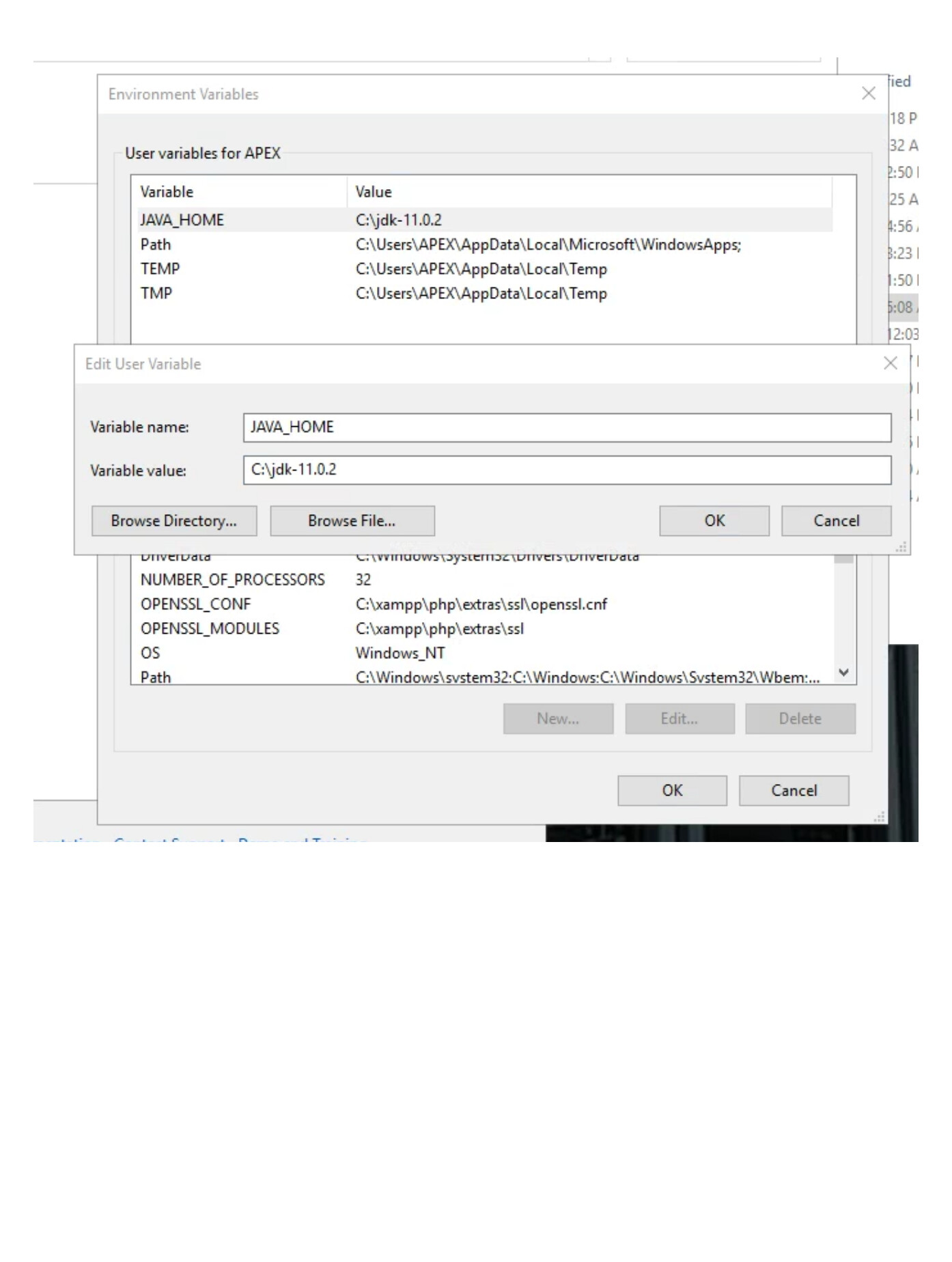
3 - created the correct Environment Variables of JAVE_HOME and C:\jdk-11.0.2
I reboot the system, just to be sure and then click Document Preview install.
I hope that this helps.
Hi, @mylifeservices can you please send me a screenshot of your environment variables? I would like to compare it with my working environment. Thank you.
Can you run the FileCloud Control Panel as Admin and check if it makes any difference when you install the Document Viewer?
Thank you for your help. I receive the same error for both the “Document Preview” and “Content Search”
Any ideas.
Hi @mylifeservices
I compared your environment variable with my local instance, which has JDK 11 working. The only difference that I noticed was your JAVA_HOME as a user variable. Can you try creating the JAVA_HOME entry under System Variables pointing to the JDK path?
Let me know how this turns out for you. Thank you.
BINGO ! ! ! It works. Thank you very much.
2 Likes