No filecloud access outside of LAN

As title suggest outside of my LAN I am unable to access user or admin pages.
I’ve tried manually accessing using the whats my ip address
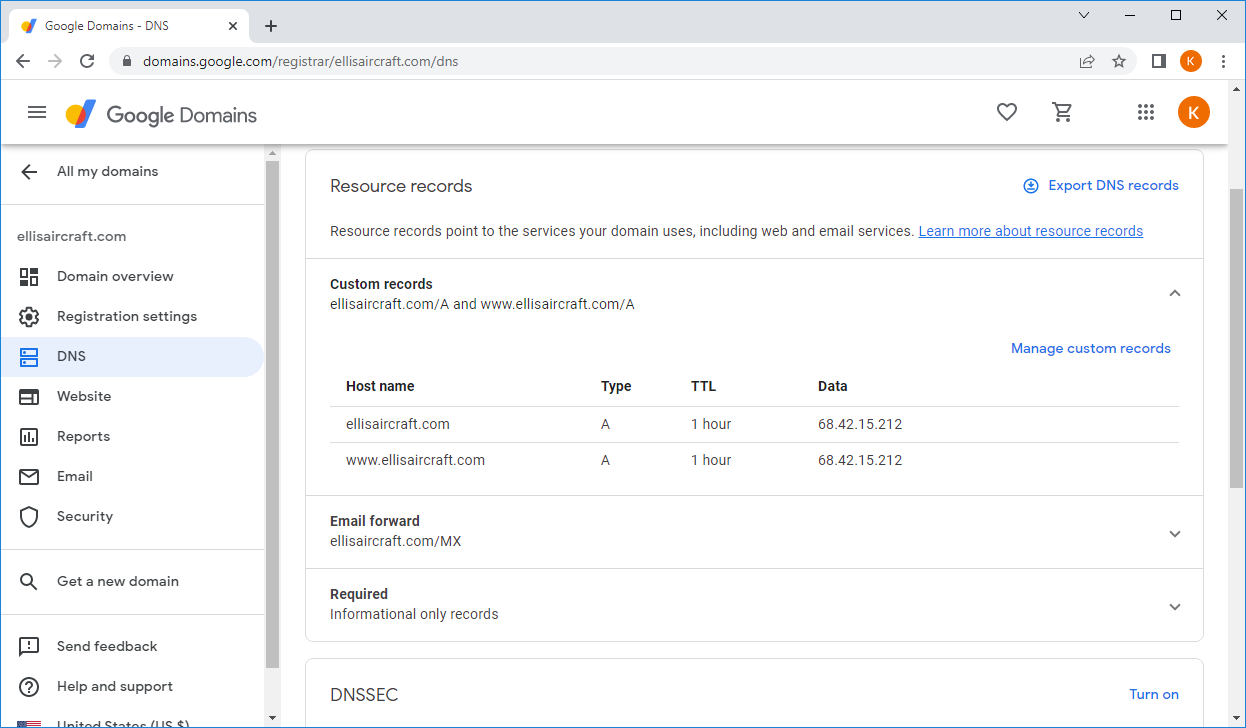
Google domain: Three manual dns entry’s added
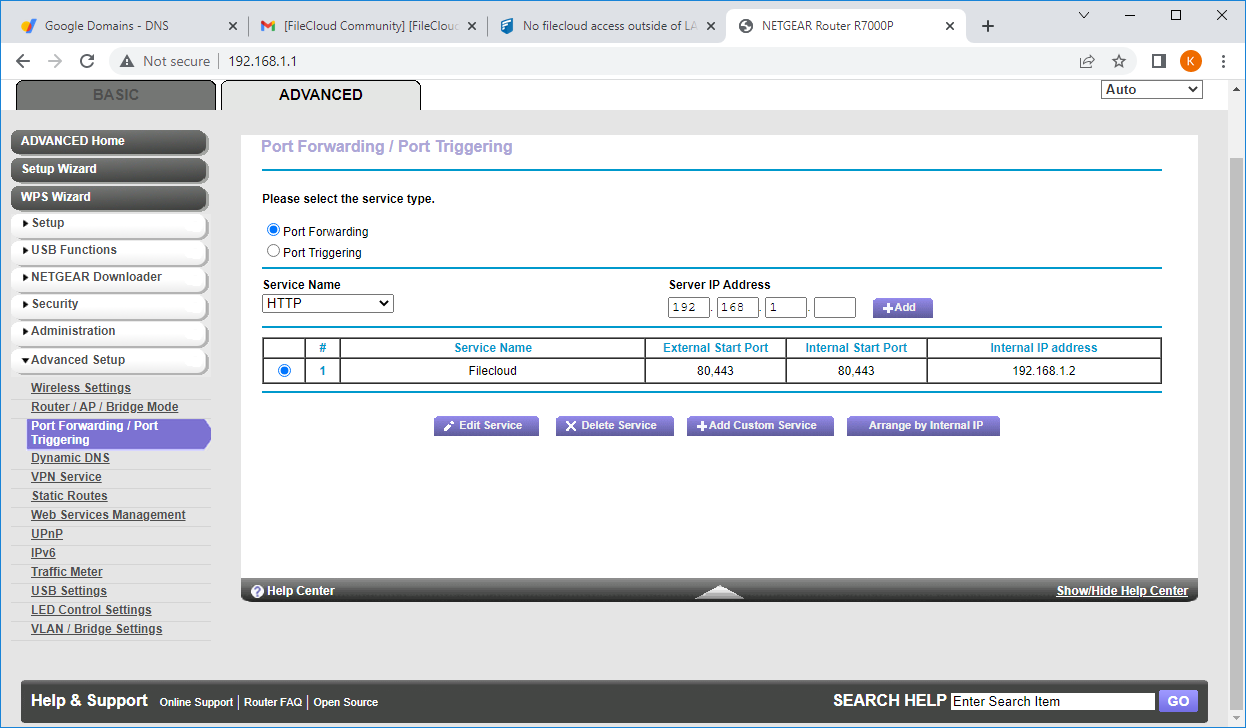
Single R7000 router with port fwd to 80 and local ip address of 192.168.1.2
Filecloud up and running internally with all test showing successful
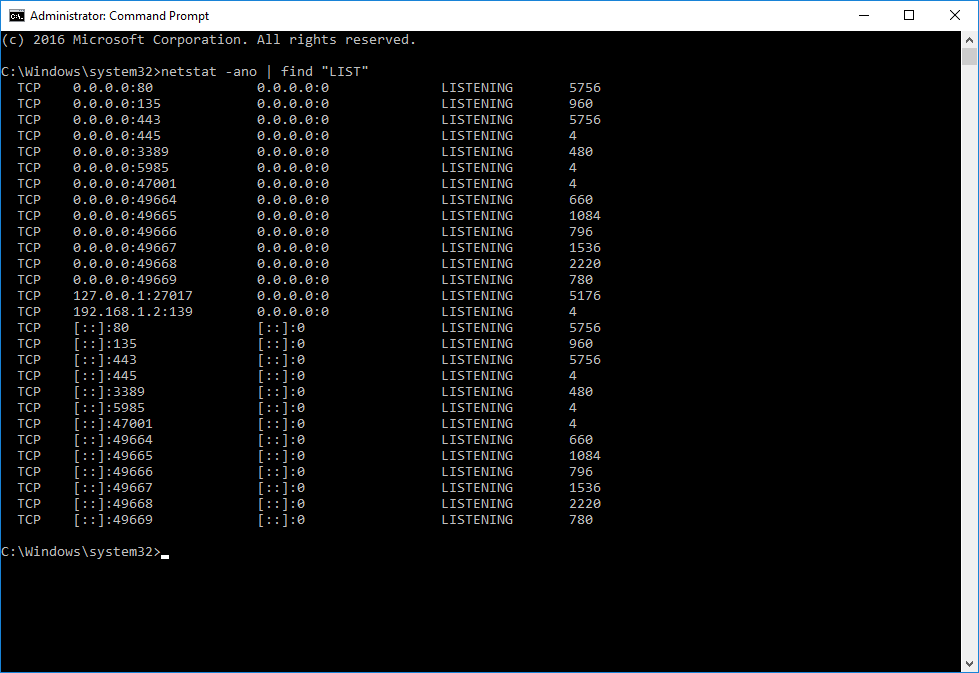
Port 80,443 are being occupied by httpd.exe

5756 shows to be httpd.exe

Hello beech2000 and welcome to our community.

Using the IP from whats my ip address will not route you to the FileCloud server, in this case you will need to nat the FileCloud server IP 192.168.1.2 on your router with the public IP from “whats my ip” to make it working
Thanks for your reply.
I have google domain pointing ellisaircraft.com to my office router.
Here is a screen shot

Also, My router is forwarding to my windows 2016 server where filecloud resides.

Hey beech2000,

Try the following and let us know the result:

  • Make sure that your IP 68.42..* is reachable from outside
  • Make sure that the ports are not filtered (at router level)
  • Check if you web portal is reachable inside your local network http://192.168.1.2/admin
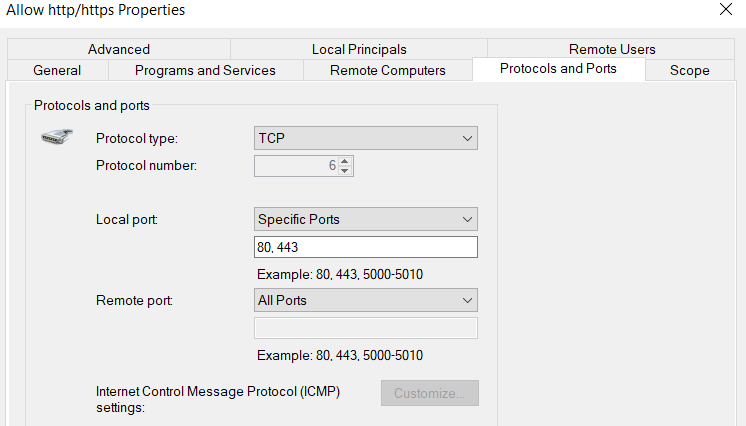
  • Make sure that http and https ports are allowed from your windows firewall

  • Check the apache logs under C:\xampp\apache\logs\access.log for any request from outside your local network

Sincerely

Windows Server 2016 firewall had port 80 in and out blocked. I simply created a new rule in and out
Thanks for your help!