Hi All,
I have setup a FileCloud CE server locally on Windows Server 2019; and have added some local network folders.
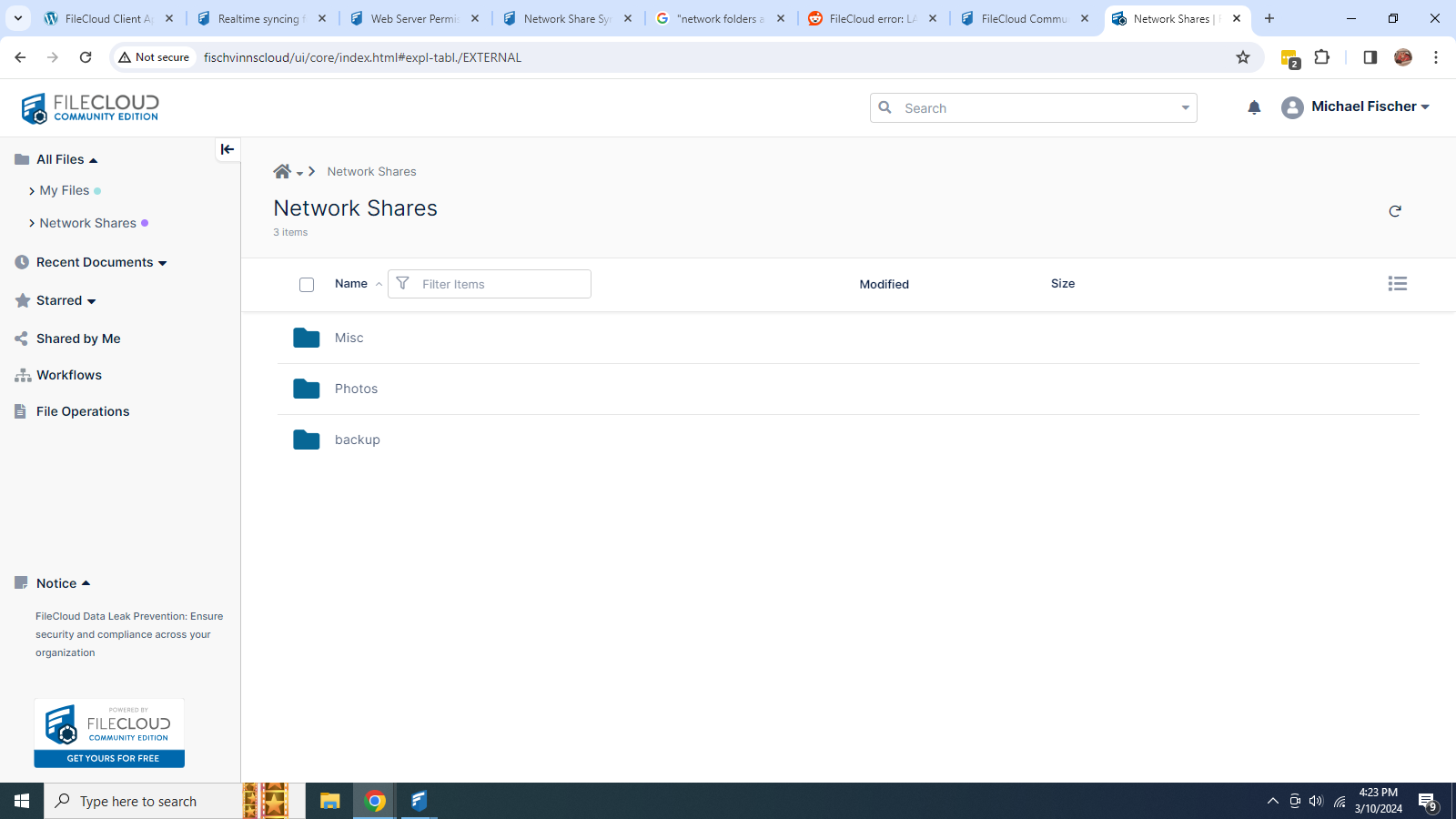
When my users access FileCloud using the web URL, the network shares appear normally:
but when they try to use “Sync for Filecloud” they get : “This feature is not available, please contact your administrator”
I have set up the Web Server Permissions for Network Shares as shown in the docs. (I think)
Is this not available in with CE? Or am I missing something?
thanks
Hi @StainlessSteelDream
Users who can access Network Folders from the User Portal should also be able to access this from the FileCloud Sync application. However, this is not enabled by default. If you have configured these 2 areas from the Admin Portal, but users still have the same error. Please take a screenshot of where the users are seeing the error message.
The first screenshot, it should not have a check mark.
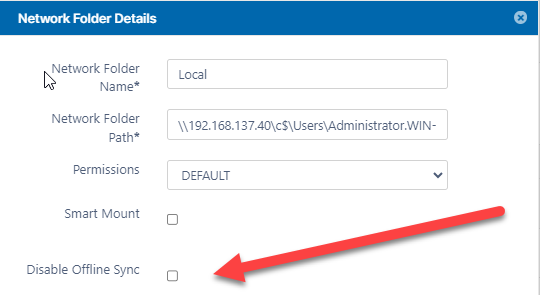
The second screenshot, it should have a checkmark.
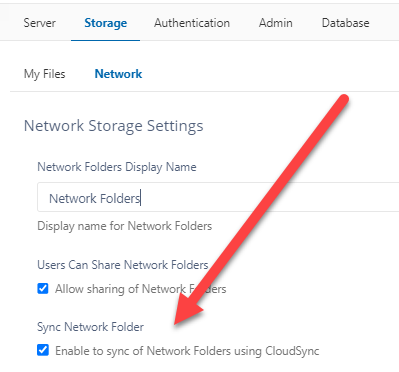
In the FileCloud Sync application, it should give them to option to sync everything or pick a specific network folder to sync. That would be in the FileCloud Sync wizard when they log in for the first time.
Thanks! That’s exactly what I was missing, works now!
1 Like