I am running Filecloud in Windows 11 Pro.
I have all the Installation Checks, Basic and Extended showing ticks and everything in the FileCloud Control Panel showing as running.
I can access the user login page on the Windows machine through 127.0.0.1 and I can access the user login page remotely within the network using the machine’s IP address and remotely using by DDNS domain name. In each case, I can successfully log in through the web interface using Chrome browser using the username and password credentials I have set up.
When I try to login using the same credentials through either the mobile Android app or the Windows Beta Desktop app, I get the same error - username or token not found.
I have checked through all the settings and I can’t find anything that should be blocking the app logins and I can’t find anything in the Filecloud documentation about this.
Any idea what the problem could be?
Bump as I’ve still not made any progress on this.
I’ve also tried using the Admin login but it returns the same “Username or token not found” error.
Any ideas or guidance appreciated.
Hello @Considerationista,
When accessing the Desktop Beta Application, are you accessing this from the same machine that has the server?
Can you provide a screenshot of what you’re entering into the details to login?
Hi John,
I’m not using the Desktop Beta Application or the Andoid App on the server, the Android app is on my phone and the Desktop Beta Application is on my laptop.
I have tried both connecting via a mobile hotspot to get an external connection outside my home network and also from other locations where I have had wifi access available both in the UK and abroad and the resullts are always the same. I can put the domain details into a browser and it connects instantly - I put the same domain details into the app and it says username or token not found.
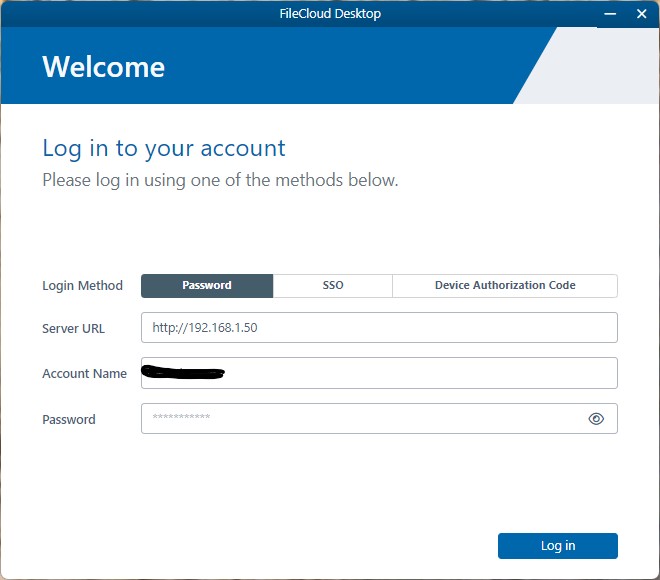
I have attached screenshots of the local login that works inside the network:
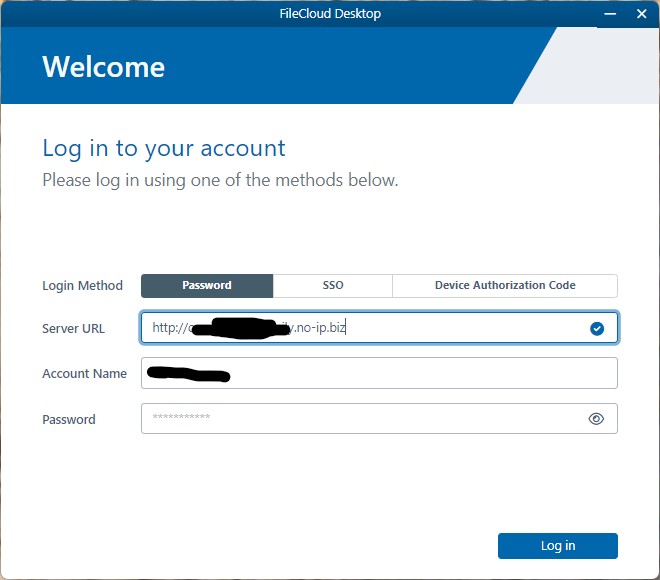
and the domain login that doesn’t work:
I’ve gone through all the settings again and just rechecked and I can access the server from externally over the internet from a PC browser (Chrome) and from my phone browser (Chrome) with no problem. The Desktop Beta Application on the same laptop as the browser that works says “Something went wrong - We were not able to establish communication with the specified server or proxy” and the Andorid App says “username or token not found”.