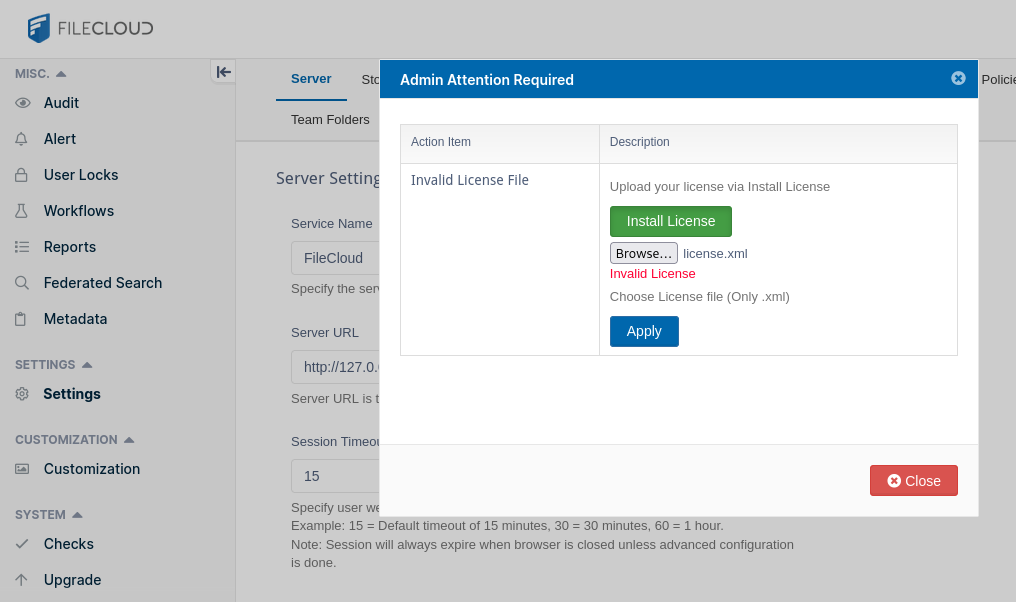
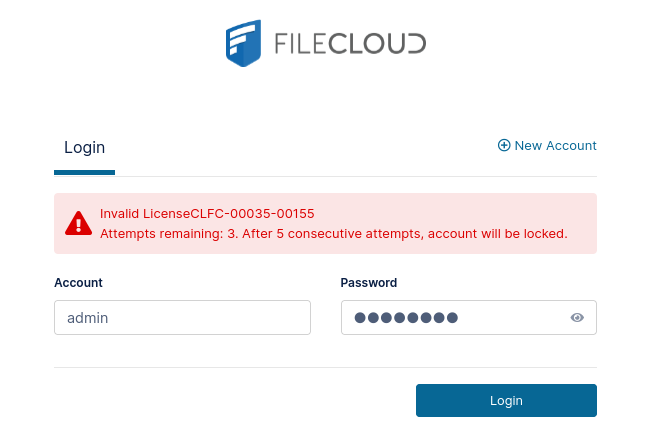
I signed up for Filecloud Community Edition a few days ago and was able to install it and activate the license without any issues.
I reinstalled my operating system and was able to install Filecloud again without issues, but now it won’t accept my license.
I’m using RHEL 9 and I’m using my local IP as my host. It’s possible my IP changed (if it wasn’t static before, another device could have taken it). However, I can’t find anything on my account about needing to use a specific url, and in the xml file the host is *.
I included a screenshot, but can also provide logs if needed.
Kindly try to download and upload the license given here
To further troubleshoot the issue we will require the FileCloud server logs
Please reproduce the error again with server logs in debug mode
To enable debug mode, open the Admin Portal, go to Settings->Log Level, and set it to “DEV”
Then please replicate the issue and send us the logs
Please download the logs in FileCloud Admin Portal → SYSTEM → Checks → Generate Logs.
You can also find the FileCloud logs manually here
Windows: drive letter:\xampp\htdocs\scratch\logs\log_YYYY-MM-DD.txt

Linux: /var/www/scratch/logs/log_YYYY-MM-DD.txt (in Ubuntu 14.04 and later

           /var/www/html/scratch/logs/log_YYYY_MM_DD.txt)
I don’t mean to hijack someone else’s thread, but I’m running into the same problem.
I’ve made the changes to the openssl.cnf (or rather, I think update-crypto-policies did, as the changes are in a included in a separate file. I did this, as adding those entries you’ve posted broke my OpenSSL config
[root@filecloud logs]# cat /etc/redhat-release
Red Hat Enterprise Linux release 9.3 (Plow)
[root@filecloud logs]# grep .include /etc/pki/tls/openssl.cnf
# Note that you can include other files from the main configuration
# file using the .include directive.
#.include filename
.include = /etc/crypto-policies/back-ends/opensslcnf.config
# PKIX recommendations harmless if included in all certificates.
# PKIX recommendations harmless if included in all certificates.
certs = $dir/cacert.pem # Certificate chain to include in reply
tsa_name = yes # Must the TSA name be included in the reply?
ess_cert_id_chain = no # Must the ESS cert id chain be included?
trusted = insta.ca.crt # does not include keyUsage digitalSignature
[root@filecloud logs]# cat /etc/crypto-policies/back-ends/opensslcnf.config
CipherString = @SECLEVEL=2:kEECDH:kRSA:kEDH:kPSK:kDHEPSK:kECDHEPSK:kRSAPSK:-aDSS:-3DES:!DES:!RC4:!RC2:!IDEA:-SEED:!eNULL:!aNULL:!MD5:-SHA384:-CAMELLIA:-ARIA:-AESCCM8
Ciphersuites = TLS_AES_256_GCM_SHA384:TLS_CHACHA20_POLY1305_SHA256:TLS_AES_128_GCM_SHA256:TLS_AES_128_CCM_SHA256
TLS.MinProtocol = TLSv1.2
TLS.MaxProtocol = TLSv1.3
DTLS.MinProtocol = DTLSv1.2
DTLS.MaxProtocol = DTLSv1.2
SignatureAlgorithms = ECDSA+SHA256:ECDSA+SHA384:ECDSA+SHA512:ed25519:ed448:rsa_pss_pss_sha256:rsa_pss_pss_sha384:rsa_pss_pss_sha512:rsa_pss_rsae_sha256:rsa_pss_rsae_sha384:rsa_pss_rsae_sha512:RSA+SHA256:RSA+SHA384:RSA+SHA512:ECDSA+SHA224:RSA+SHA224:ECDSA+SHA1:RSA+SHA1
Groups = X25519:secp256r1:X448:secp521r1:secp384r1:ffdhe2048:ffdhe3072:ffdhe4096:ffdhe6144:ffdhe8192
[openssl_init]

alg_section = evp_properties

[evp_properties]

rh-allow-sha1-signatures = yes