I have just installed filecloud on a brand new installation of Ubuntu 20.04.2 LTS desktop and It won’t open admin page due to database error. Attached are the errors on the install advanced page. Any help would be much aprreciated.
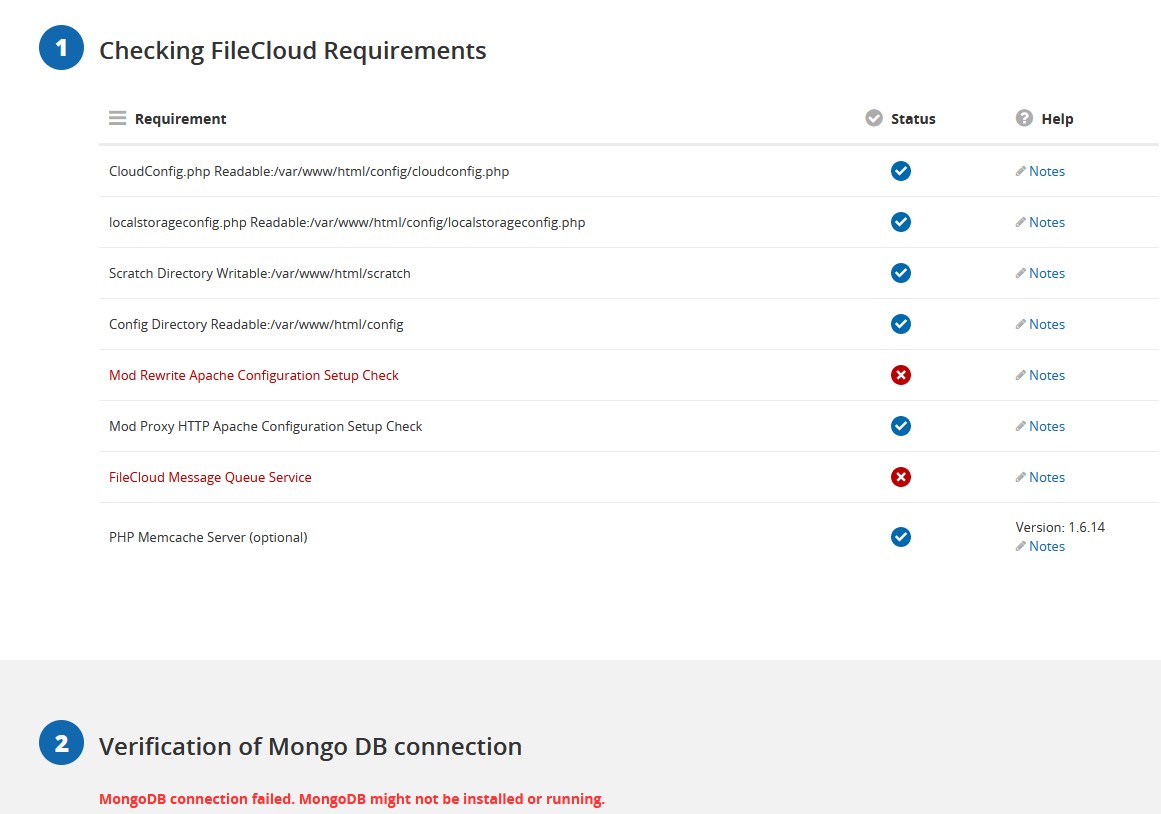
Hi Mobisat,
Have you tried to start the database by running the below:
service mongod start
Also you will need to run the message queue by with the command:
service fcorchestrator start
Hi @mlarab,
I ran both the commands suggested and the errors are still there in the advanced page and when I try to access ipaddress/admin it says “Database Error: Database is not Initialized, please check if database is running.”
I thought it should have all worked out of the box, I followed https://www.filecloud.com/supportdocs/fcdoc/latest/server/filecloud-administrator-guide/installing-filecloud-server/installation/direct-installation/installation-of-filecloud-on-linux-using-the-repository
I have also tried Ubuntu 22.04.2 server edition and exact same errors so I am at a loss 
I was hoping to get rid of my Dropbox, not yet now.
I’ll need to try installing on a different computer see if I have any luck on that.
Hi Mobisat,
Can you see any errors in the mongodb log file? /var/log/mongodb/mongodb.log
I checked for /var/log/mongodb/mongodb.log, however /var/log/mongodb/ is empty.
My original machine is a Intel NUC NUC5PPYH. I have just purchased a Beelink mini S brand new machine and it has the exact same problem.
I did try the docker install in the Intel NUC and it worked first time on Ubuntu, however I was wanting to have my system just run on Ubuntu and not via Docker (never used docker before).
This proves that the mini pc can run it but not via the basic install. Very disappointed so far that two machines have the same problem 
Mobisat,
Below is our HW/SW requirement, if the Mini machines are not meeting the requirements this could mean that the FileCloud will not probably works properly:
Just as a follow up, neither of my two machines supported the AVX instruction set, therefore the db wouldn’t work. I have since acquired a Dell Optiplex 3060 and it worked fine first time.