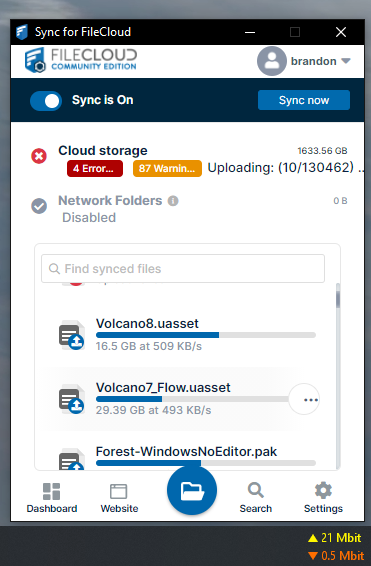
Hello, I seem to be having issues with all of my files that are uploading to my local FileCloud server. I am using Sync for FileCloud and it seems that each of my files never upload faster than 500KB/s.
I’ve set my Max Upload Speed to 20MB/s and 50MB/s depending on the time of day in my Upload and Download settings.
In this image, you can see that each file is only uploading at a speed of ~500KB/s. And only 5 files upload at any given time. Is there a way to increase the upload speed per file? 500KB/s seems very slow, especially when I set the max upload speed to 20-50MB/s.
Hi @bstonearch
If you have set up your FileCloud Server and there no files in the system yet, I recommend using our Seeding tool instead. You can follow the instructions in the Seed Files for Single user section and use the Team Folder account to upload your data into Team Folders, or you can just continue using your user account, the one used in the screenshot.
If you want to continue using the FileCloud Sync client, you may do so but there is only so much that you can configure to expedite the upload process considering the number of files that you are trying to upload.
You can try increasing the maxthreads parameter for the Sync client to a higher value to increase the number of files per sec.
<rowentry>
<name>maxthreads</name>
<type>int</type>
<value>2 </value>
</rowentry>
You may find the sync client config files on these locations:
-
Windows: %APPDATA%\FileCloudSync\syncclientconfig.xml
-
Mac OSX: {HomeDir}\FileCloudSync\syncclientconfig.xml
-
Linux: {HomeDir}\FileCloudSync\syncclientconfig.xml