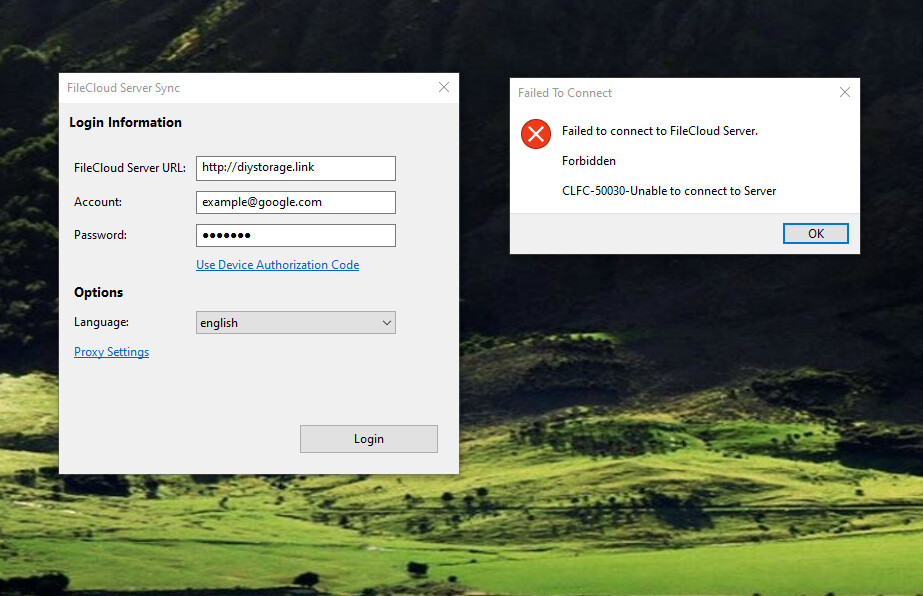
Hi, I am able to successfully connect my Filecloud Sync and Filecloud drive to my server, no issues with auth/syncing, everything seems to be working as intended. However, my main use case is with Fileclour Server sync.
I have: Set up the permissions in the admin client to allow for Network share. I’ve set up the service account that manages the network folders, but for whatever reason, the Desktop Client on Windows 10 64 bit does not seem to want to even connect to the server. Any help or direction to troubleshooting docs would be helpful.
From this server where Serversync is running, are you able to open a browser and connect to the FileCloud server? If so, I need to see the Serversync logs. You can find it %appdata%\FileCloudServerSyncData\client.
I look forward to getting this information from you. Thank you.
I figured out the issue. It seems with a community license, you don’t have access to Filecloud Server Sync capabilities. I must’ve missed that in the sign up documents. Apologies for the confusion. Hoping one day we do get access, as that would be a very helpful feature for some of us.