Hello there,
I’m new here but need a little help with my instance.
I upgraded Filecloud CE server from 22.1 to 23.1. I also upgraded Ubuntu distribution from 20.04 to 22.04 and Mongodb 4.4 to 6.0.4. I think that all running ok, but I have 1 error and 1 warning in checks.
-
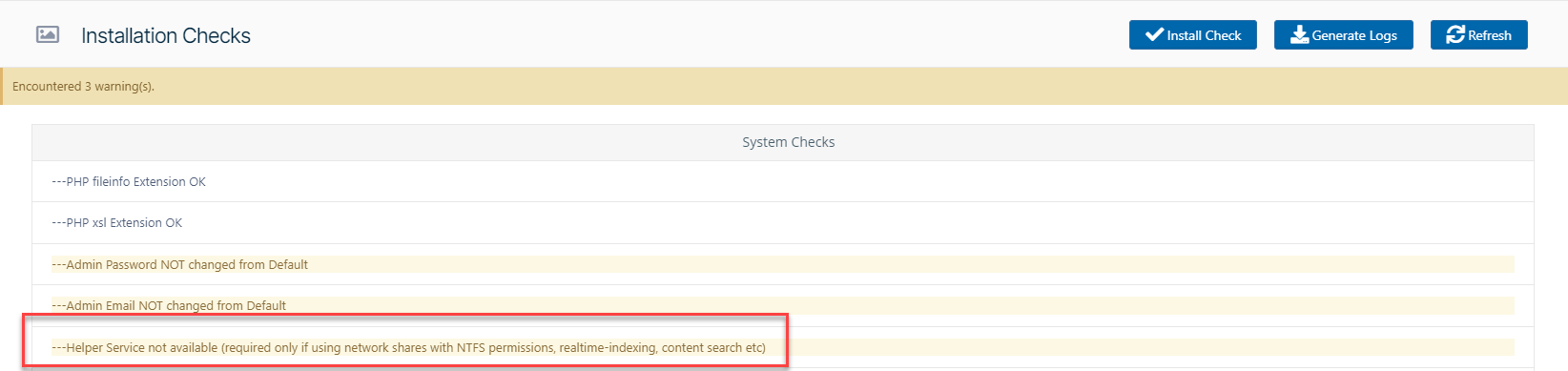
Warning is about “–Helper Service not available”. I think that I don’t need it, but how to remove that warning?
-
Error is about “–FileCloud Message Queue Service is not found” and I don’t know how to fix it.
All resolutions is about FC running on Windows server and nothing on Linux.
I found similar topic here: FileCloud Message Queue Service
but my fcorchestrator.service running well. There was a little problem about SourceGuardian but I installed it and nothing changed with Message Queue Service.
Can someone help me? I don’t know where can I find any logs about that.
Hi,
The Helper Service is not installed by default. If you are getting this warning from the Admin Portal Check, like this screenshot below, you can ignore it. The Helper Service can only be installed in a Windows machine. So, the option is to run it remotely if required. See this documentation.
The MQ Service should be installed by default. You can view the MQ logs by running the commands below:
journalctl -u fcorchestrator
I did it, but there is nothing special.
Service is running well:
 fcorchestrator.service - Filecloud Queue service
     Loaded: loaded (/etc/systemd/system/fcorchestrator.service; enabled; vendor preset: enabled)
     Active: active (running) since Fri 2023-11-24 06:24:39 CET; 4min 1s ago
   Main PID: 9529 (sh)
      Tasks: 8 (limit: 9258)
     Memory: 14.9M
        CPU: 1.350s
     CGroup: /system.slice/fcorchestrator.service
             ├─9529 /bin/sh -c "/usr/bin/node /var/www/html/src/Scripts/fcorchestrator.js"
             └─9530 /usr/bin/node /var/www/html/src/Scripts/fcorchestrator.js
Hi @Odyseusz
From the screenshot you sent, it looks like the MQ Service had just recently started and the service does look like its active. You may run a check from the Admin Portal >> Settings >> Misc >> Support Service and click on the Check button for Message Queue Service. This should give you a better status and you can ignore the error if it returns MQ Server: Active.
Hi @lorencelumapas
I think that service is dead:
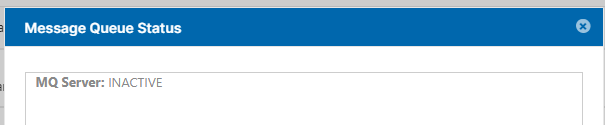
Maybe upgrade messed it up. Restart button show that request was succesful but service is still dead.
Do You have any idead what I can do next? I think to dump the database and reinstall FC.
Hi @Odyseusz
Based on the previous screenshots it does show the service is active, and there were no errors in the journal.
You can still check if MQ service if functioning my going to the Admin Portal >> Audit Logs. It should give you real-time audit logs. If it does, this means that the MQ service is indeed running.
Additionally, the FileCloud server logs should also show you calls similar to this line below:
2023-11-27 8:09:27.531912 DEBUG: [16975509969322] BACKGROUND : [PARALLEL] Calling : CodeLathe\Core\Subsystem\Integration\SIEM\SiemCallbackHandler:commonEventHandler
That would confirm that the MQ Service is indeed running.