good day all
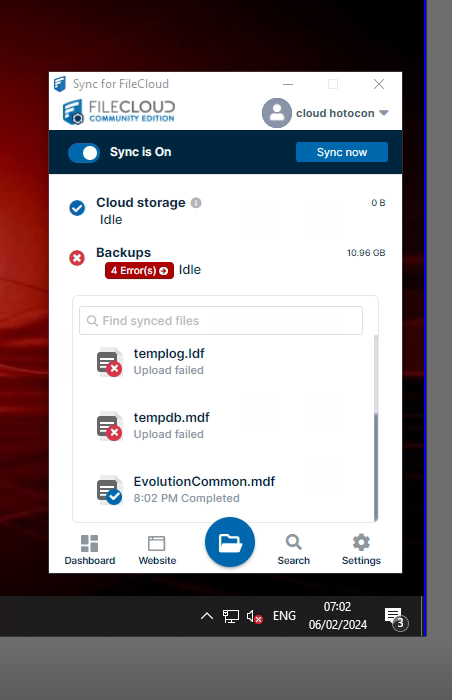
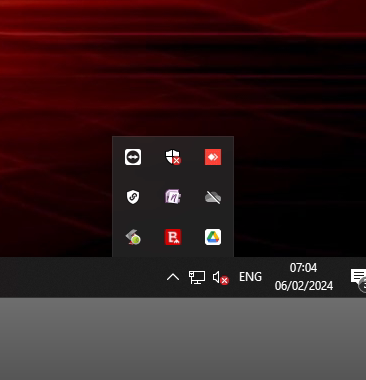
my file cloud disappers int he task manager at random times when i need to open it up again so the backups can run
good day all
my file cloud disappers int he task manager at random times when i need to open it up again so the backups can run
Hello @bobby ,
Can you confirm what version of FileCloud Drive you are using? You can check this by clicking your username in FileCloud Drive dashboard.
version 23.1.1.8537 is is the version
Thank you for confirming @bobby .
Can you update to the latest Drive and let me know if it still disappears in your task bar?
Below you will find the download link to the updated FileCloud Drive:
hi im using file cloud sync
My apologies, here is the link to the updated Sync
FileCloud Sync
Can you update to the latest FiileCloud Sync and let me know if it still disappears in your taskbar?
yip it still disappers
Same happening for me on Windows 10 tired running as admin, tried installing as admin. Tried running in compatibility mode widnows 8 and 7. Icon still disappearing. Any fixes?
Filecloud Sync 23.232.0.8722 Installed on 2/15/24
i still having the same issue
hi is there anyone that can help this issue
Hi
Kindly try to end the FileCloud Sync from Task Manager then please follow the below
please try to delete the client folder from the following path
Windows: %APPDATA%\FileCloudSyncData\client
Linux: ~/FileCloudSyncData/client
Then try to login to sync again and let us know how it goes
hi guys did try it but the issue is still there
Hi
Do you have any anti virus or firewall enabled?
If yes, then can you kindly try to temporarily disable them and then give a try to follow the steps mentioned in our previous response and let us know how it goes
This seemed to have worked for me. Sync and backups are running for now. Thanks!
Hi
Awesome! glad to know that it worked. If you find any difficulty please do not hesitate to reach out to us. We are here to help you out
Thank you
after deleting the folder and reinstalling the filecloud it does the same
@bobby , can you confirm if you have any anti virus or firewall enabled? If yes, then can you kindly try to temporarily disable them and then give a try to follow the steps mentioned in our previous response and let us know how it goes
hi
its works with out firewall and anti virus on
@bobby Please see the following documentation on the default ports used by FileCloud: Security: Changing a Default Port or Web Server Setting - FileCloud Docs - Server
You may have to allow the above ports through your firewall/anti-virus.