I previously had FileCloud Drive installed and working but I was having trouble with the default cache path, I couldn’t find anywhere in the drive app or on the forums for how to change it so I decided to re-install as I remembered it asked for the path during the installation. After uninstalling and installing again I get the following error.
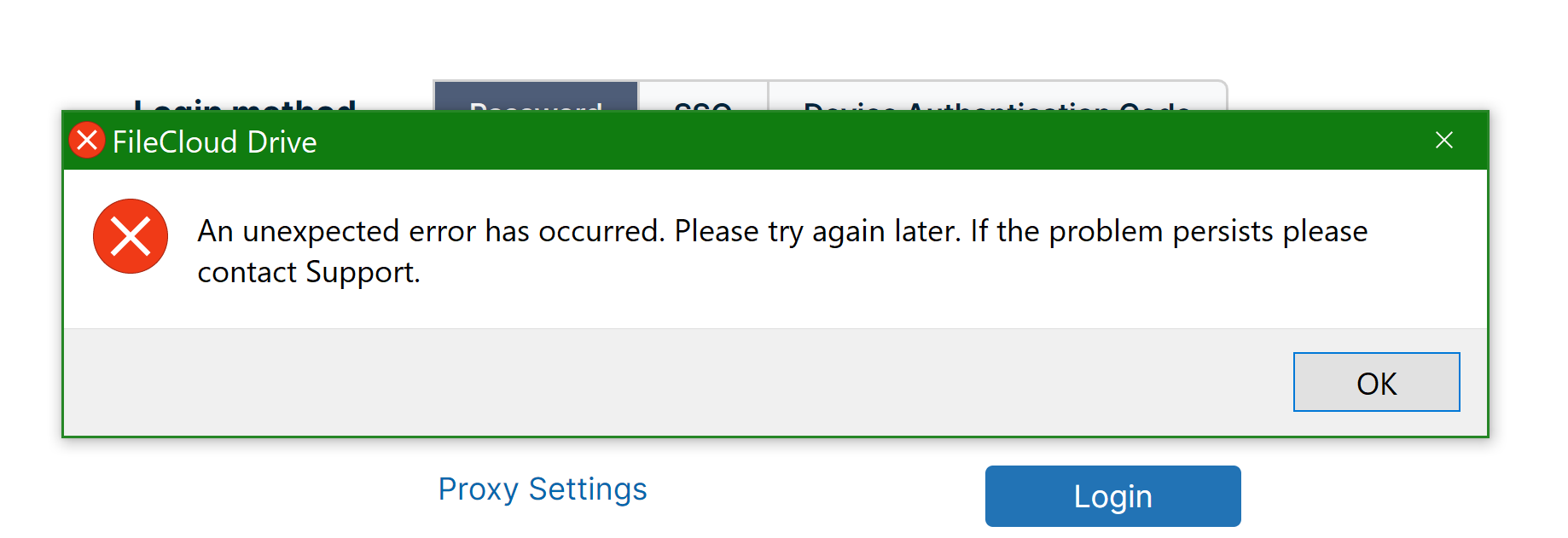
Hello @Elih ,
When you were reinstalling FileCloud Drive, did you run the setup as Admin?
Yes I did. I just tried it again to be sure and got the same error.
Hello @Elih
While installing the drive which path have you selected ?
Is your installation finishing successfully and when you launched the drive then facing the above error ?
It doesn’t give me an option to chose the path, but it is installing to C:\Program Files\FileCloud Drive
Yes, after the install I reboot and it brings up the initial setup. It is on the 1st step (login) where I am getting the error. I am using all the same credentials as before and I checked the admin portal to make sure everything is correct.
Hello @Elih
Thank you for the update.
Please send us logs from the below path both fcedc and FilecloudDrive files.
C:\Users\username\AppData\Roaming\FileCloud Drive\data\
Sent it to your inbox.
Hello @Elih
Thank you for the logs.
Did you check any previous process running in the Taskmanager, if it is then end those process related to the drive and try to launch again.
Yes, no related apps or background processes running.
Hello @Elih
There may be the old installation folder still hanging and messing with the configuration, kindly uninstall the drive delete the folders C:\program files\FileCloudDrive and C:\Users\username\AppData\Roaming\FileCloud Drive completely then restart your machine and install drive again.
I have tried that already as well, and tried it again to be sure. I’ve tried uninstalling and deleting everything filecloud related from appdata But I think there might be some other files somewhere. The mountpoint and cache location, from under the config values section of the fileclouddrive.log, are on drives that I had set in the first installation but those drives no longer exist on my machine. So these configs must be getting pulled from something left over from that first installation.
Hello @Elih
Have you restarted your machine after uninstalling the drive?
Yes I have. But I just realized the installer I had was downloaded the same day that I started having this problem. I downloaded the .msi installer this time and that worked. So I guess I either had a corrupt download or the .exe doesn’t work for me for some reason…
1 Like