Error Unauthorized after logging in from my domain
Uploading: Screenshot (34).png…
@Syedshizan, Unfortunately, we were unable to see the attached screenshot you provided. Can you please reshare it with us again?
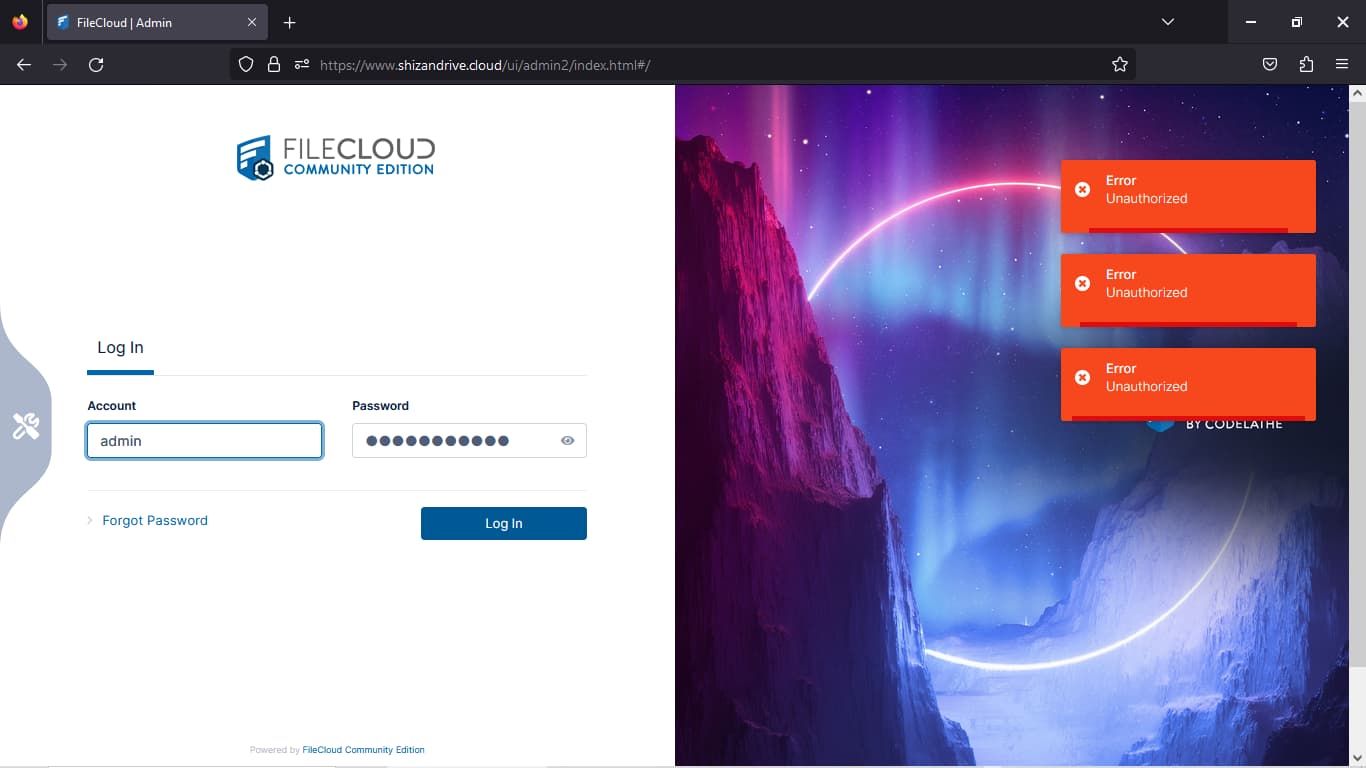
Kindly solve my error
@Syedshizan, can you please confirm if you were able to access your admin portal using the localhost http://127.0.0.1/ui/admin2/index.html#/ within the FIlecloud Server? If yes, kindly please provide us your FIlecloud Server logs in debug mode.
To enable debug mode, open the Admin Portal, go to Settings > Server > Log Level, and set it to “DEV”.
Kindly reproduce the issue (login to the admin portal in your domain)
Please download the logs in FileCloud Admin Portal → SYSTEM → Checks → Generate Logs.
Filecloud Server logs:
Windows: \xampp\htdocs\scratch\logs\log_YYYY-MM-DD.txt
Linux: /var/www/html/scratch/logs/log_YYYY-MM-DD.txt
(http://127.0.0.1/ui/admin2/index.html#/)
i am trying to execute this link but is it not opening
plz help me …i m trying to solve this issue since 5 days but i m unable to do …when i m executing aws filecloud ubuntu ,machine public ip or dns it is being successfully logn …but when i have update public ip to domain name with A records in cloudflare …the login portal is being open but when i m trying log in for 1 sec the filecloud dashboard is opening then unauthorized error is being occurred …
domain name = FileCloud
how can i send logs file here …this portal dont support .txt file uploading permission
@Syedshizan please upload the logs on the shared link below:
Can you also share us a video snippet of the issue you are currently facing?
uploaded on link kindly check
video snippet uploaded
@Syedshizan, as per checking on the video snippet, it looks like the Server URL in Filecloud Admin Portal was not set, can you please set it with your URL?
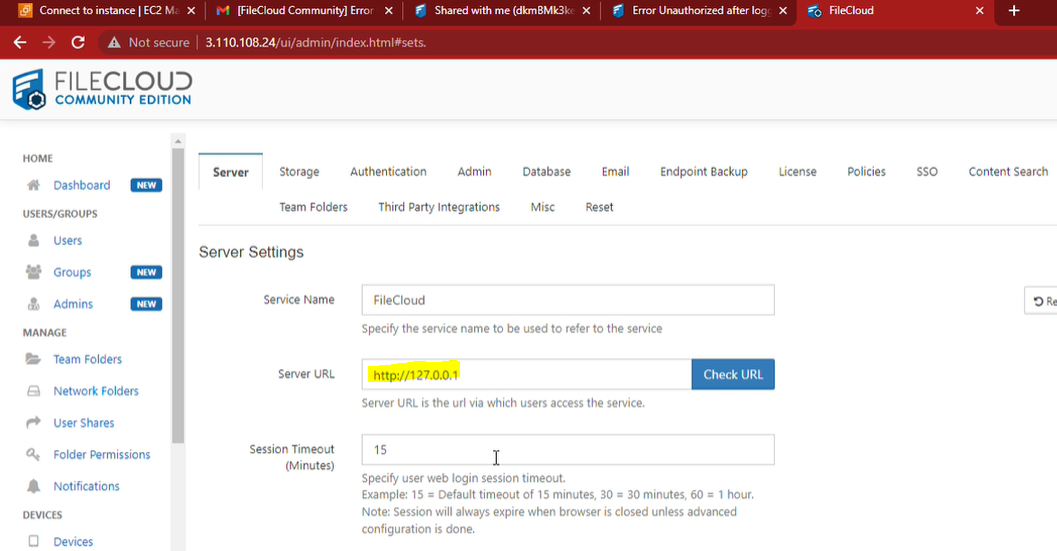
After updating, please try to access again in an incognito or private window browser and see if you are getting the same? Or try with other web browser (Edge/Firefox).
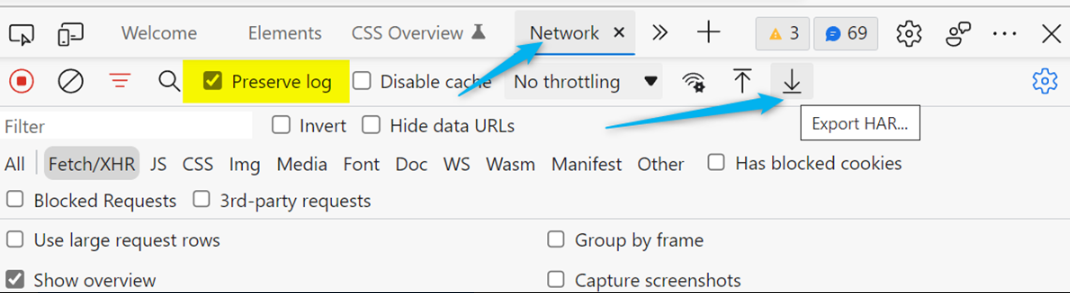
If it’s still the same, kindly send us over a HAR file when you try to reproduce the issue:
- Start developer tools in the browser
- Press the key combination " ctrl+shift+i or three-dot-menu → more tools → developer tools
- Reproduce the issue (Login in admin portal using your domain), then export HAR
Still having a same issue …i have uploaded HAR file in a link u provided …& screenshots of firefox microsoft edge browser …having same issue … i have updated my domain link in filecloud then also same issue
@Syedshizan Can you please check items below:
- Disable IP check
- Can you please try disabling IP check from Admin Portal > Settings > Misc > General > select the checkbox for Disable IP Check

Reference: Manage IP Checks - FileCloud Docs - Server
-
Kindly check your EC2 Server time vs the server timezone set from the Admin portal (make sure it is the same)
Go to: Admin Portal > Settings > Misc > General > Server Timezone -
As we can see on the video snippet you provided you have set the Server URL to: https://www.shizandrive.cloud/ui/admin2/index.html#, kindly update it to: https://www.shizandrive.cloud
-
Can you please also confirm if accessing user portal works fine for using the domain?
https://www.shizandrive.cloud/ui/core/index.html#/
Thank you soo much mam …when i changed aws server & filecloud timezone timedate Then it works successful…now i can login
Thnk u soo much
& i have check  marked disable ip check