So I am using FileCloud on a Windows Server, I am running 3 sets of Raid 1 drives the primary of course being the Primary OS then Filecloud.
Although I can clearly see that it allows me to add drives like D: E: etc I cannot get a factual arrays size. So I am not sure if it’s actually using those arrays or simply mapping and not showing them.
I just want to make sure it’s actually mapping said arrays and not just verifying their connectivity.
Hopefully everyone gets what I am doing, however when you add a Drive it does not show you below that said Drive is Mapped it just kind of verifies the initial connection. This was a HUGE issue with Owncloud and exactly why I wanted away from theirs…
To be completely honest I am not sure if it’s only using the first mapped in Storage Settings because it does not actually show what is and isn’t actually mapped… That would be a HUGE upgrade for improvements also. That helps Admins allot!
If it only maps a single drive set then making it map multiples would be Pimp too…
Any ideas would be appreciated,
Hello @CrashGear
Can you update us with a couple of screenshots on this to assist you better on this?
Anand,
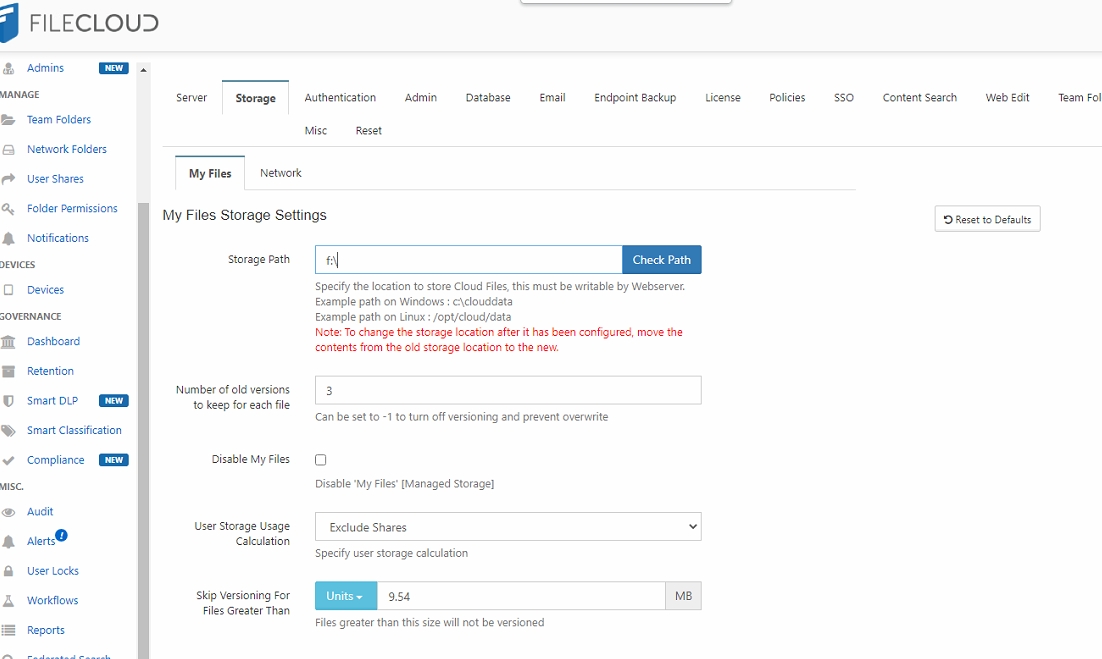
This is what I was referring to, the actual storage is simply shows a Storage path with no Verification IF that’s actually mapped and if I add another Path it simply shows it there also. They should have where below the mapping it shows which drives are actually mapped.
Now in the Network Folders yes it shows different mapped Drives\Folders however do we actually KNOW that D and F are truly mapped and functioning…
Hello @CrashGear
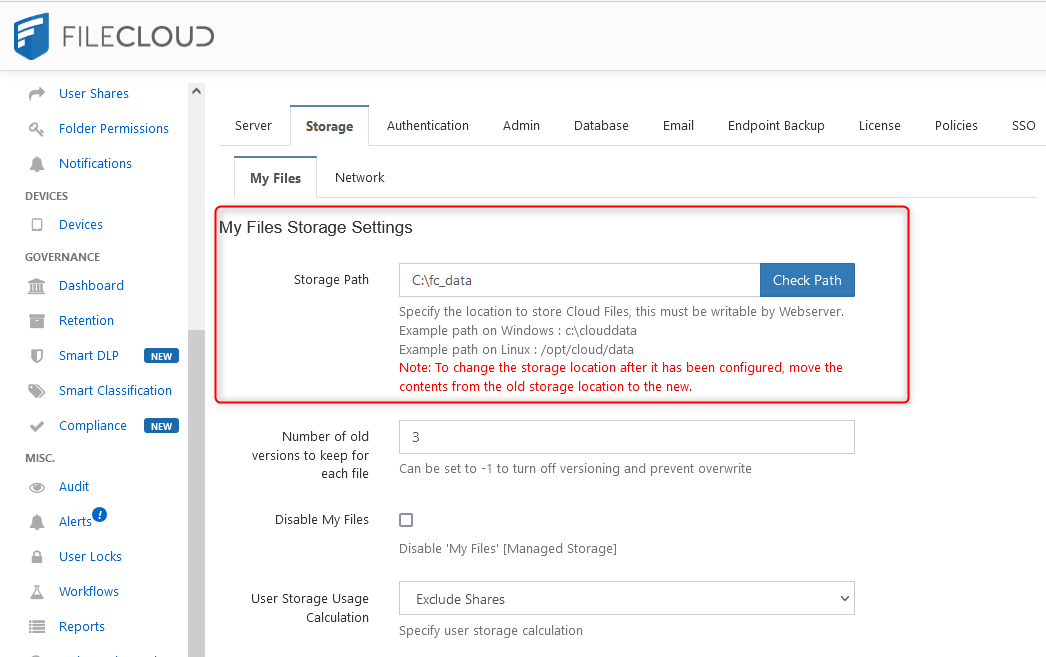
The storage path is where FileCloud stores the user files. When the users start uploading data to the system, the system will create backend files on the mapped location.
We suggest you using point the storage path to a folder rather than a drive letter.
We have attached a couple of screenshots for your reference.
Anand,
I completely know what you’re saying however that does not elaborate on my question, simply does that mean that if I map to Folders on any part of the array will it still work no matter drive letter. The drive mapping part I completely get mapping to folders seems as though they actually work and if that is the case I will simply use Folder mapping instead of Drive mapping… That is a HUGE issue with Owncloud and why I needed to change from it… HATED that issue, root install meant root storage…
Hello @CrashGear
As FileCloud store the user data on the storage location, the data inside this path is required for the proper working of the FileCloud.
Depending on your needs, you can change this path; you need to ensure that the FileCloud data is copied over to the new path from the old path.
You can use the network path as the storage path in the FileCloud as long as the system has full permissions to the location.
Anand,
This is an incredible Cloud Development… So configurable and secure… I think I simply need to be more patient since the Trade over from Owncloud… The man hours behind it make it well worth using… I must say your response times are good also in the forums, I’ve simply been reading and re-reading forums and help files.
Best Cloud I’ve tested…