Hello,
I got FileCloud Community Edition installed on Windows 10.
Completed few setups & then enabled "Two Factor Authentication for Site Admin, with delivery method as “Email Authentication” & used my valid email id.
(Reference documentation => Two Factor Authentication - FileCloud - FileCloud Support)
But, now I am stuck at login page that prompts for 2FA code, but then, I am not getting any emails with any codes.
I am a beginner and researching for solutions myself, but, if anyone can guide that will be very helpful too. I would like to avoid re-installing the instance from scratch and instead if I can disable 2FA from backend?
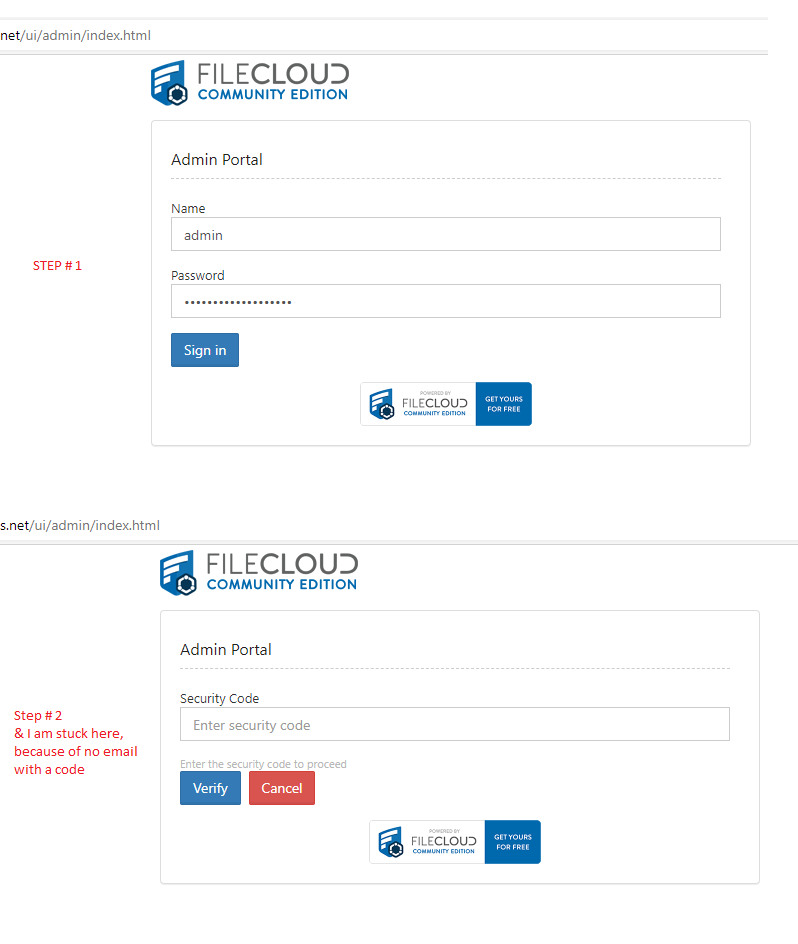
Attached is the screenshot with login screen, where I get stuck.
Appreciate your assistance.
Regards,
Amitabh
Its resolved. Found the alternative i.e resetting admin password removes the 2FA too.
Thanks.
Hello @amitabhob
We are happy to hear that the issue has been resolved.
Hi guys,
Sorry for reopening this issue, but I have exactly the same issue. I activated 2FA for the admin account but I don’t receive any emails… I also tried to reset the admin password but I also do not receive any mails… I am using a custom domain, could this be an issue?
Thank you very much @anand.prabhu
Julius
Hello @holenju
Please reset the admin password from the command line or the FileCloud control panel. This reset method will reset the 2FA for the admin.
Please refer to the below URL for more details.
Thank you @anand.prabhu
I changed it from the command line and it is now working. But how can I fix the not receiving emails issue? Eventually I really would like to set up the 2FA.
Thank you again for your time
Hello @holenju
Please verify that you have a working email configuration on FileCloud from Admin Portal > Settings > Email tab.
Reference URL: Email Settings - FileCloud Docs - Server