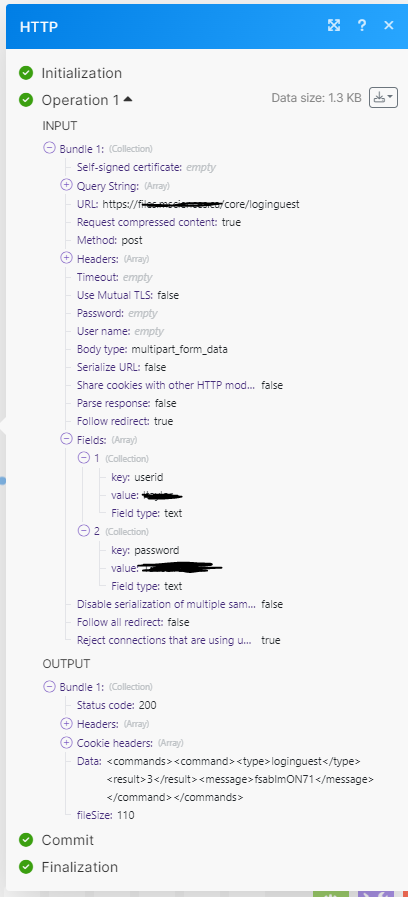
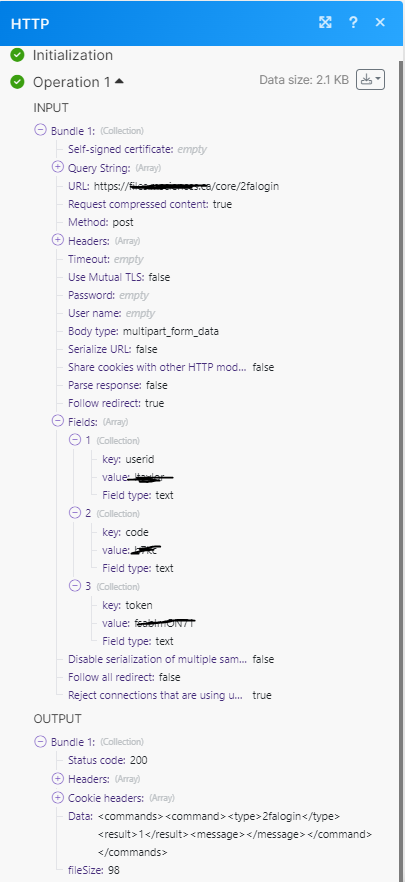
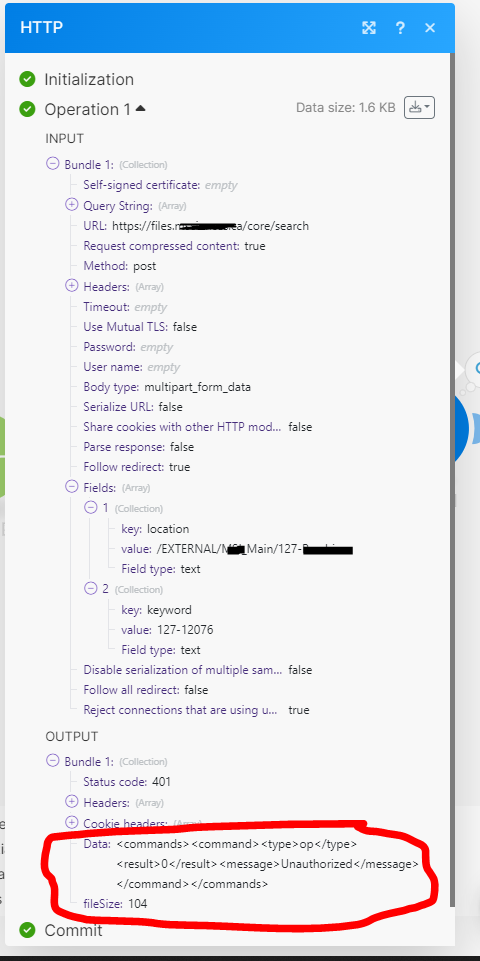
I am trying out some basic API functions as a user (i.e., not admin).
I can successfully navigate the loginguest and 2falogin posts, but then I want to search for a folder in a particular directory and, depending on the results, create a folder with a bunch of subfolders.
I post a loginguest query to get my token.
I post a 2falogin query to gain access to FileCloud using my token and the code sent to my e-mail.
But then when I try to post a core/search query, I get a 401 “unauthorized” message back.
Are there headers, tokens, or codes from my 2falogin or guestlogin that I need to include in my search (and subsequent) queries? Where do I find that information in the documentation?
Do I need to somehow send the 2fa and the search query in the same post? Use some sort of cookies to show that it is still me the one that was just authorized using 2fa and that I should be able to search the folders? I’m sure I’m missing something basic, just don’t know what it is.
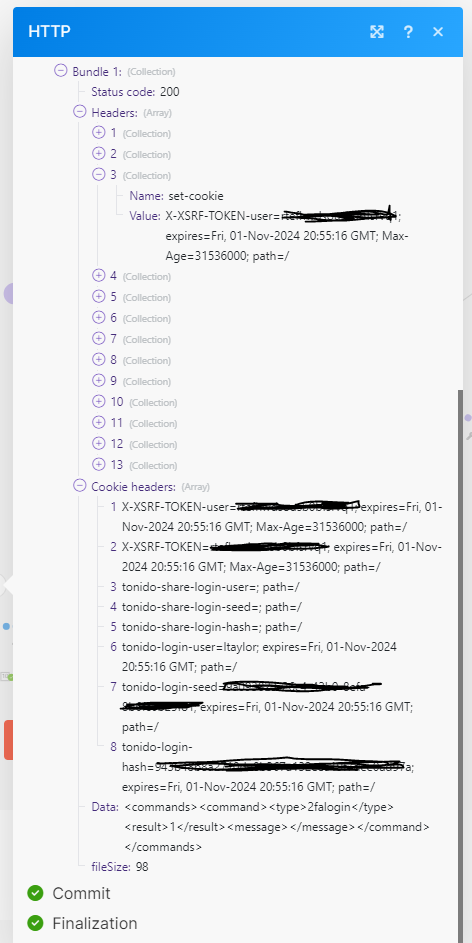
I am aware of this documentation and am still struggling. I think I understand that some cookies from my 2fa post response need to be passed to my subsequent post queries, but there are multiple cookies returned (and strangely have an expiry for a year from now, which seems like a really long time to have authorization when I need to get a new code every 24 hours when I want to log in manually), and I don’t know which ones are required or how to send them in my subsequent posts.
The manual mentions the cookies, but I don’t see examples where this information is actually used in subsequent queries.
Would you be willing to give me a little more clarity?
I’m getting super frustrated with this. Have you read my initial question? My original posts from September 18 and September 20 clearly show that I am using the api calls shown in the links you just shared with me. I don’t doubt that my question is a basic one, but I have tried to demonstrate to you that I have used the help docs you have provided and still have questions.
Are you able to revisit the original post, see the api calls I have made, see the file cloud http responses I have received, and help me find success?
The one note that I should highlight again is that I do not have admin access, just user. But I’m assuming that shouldn’t be a problem since all the calls I am trying to make are from the user support doc, not the admin.
As a matter of course I definitely try to utilize the information from your documentation as well as others’ forum posts to try not to waste your time with questions I could find the answers to myself. Unfortunately, I am unable to answer my question myself.
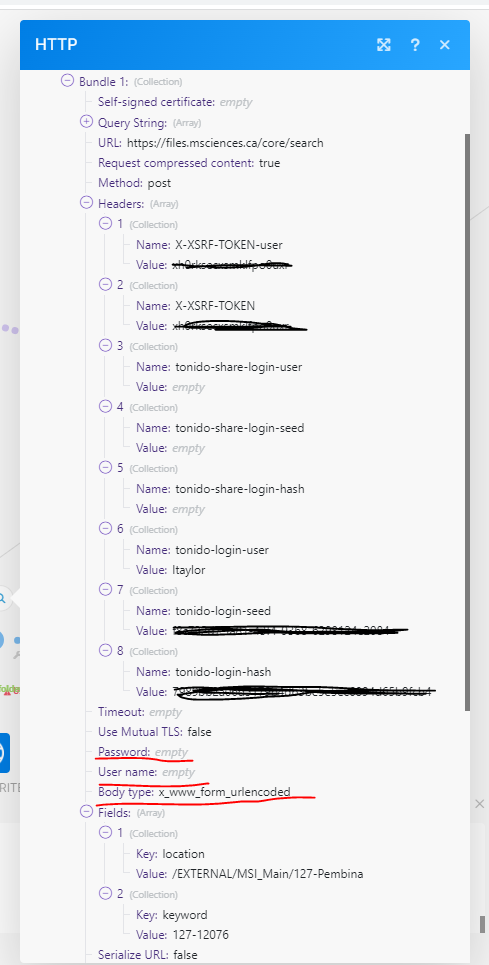
Here I’ve parsed out the values (but not the expiries) in the header, but I’m just not sure what the format is supposed to look like to get the cookies where FileCloud knows how to use them:
I’m sorry, I don’t understand what you are looking for.
I have always been using HTTPS call.
I’m not sure where to find this cloudconfig.php. All of my calls originate online, (i.e., not using my computer) utilizing make.com. I’ve looked for this file on my hard drive, but can’t find it.
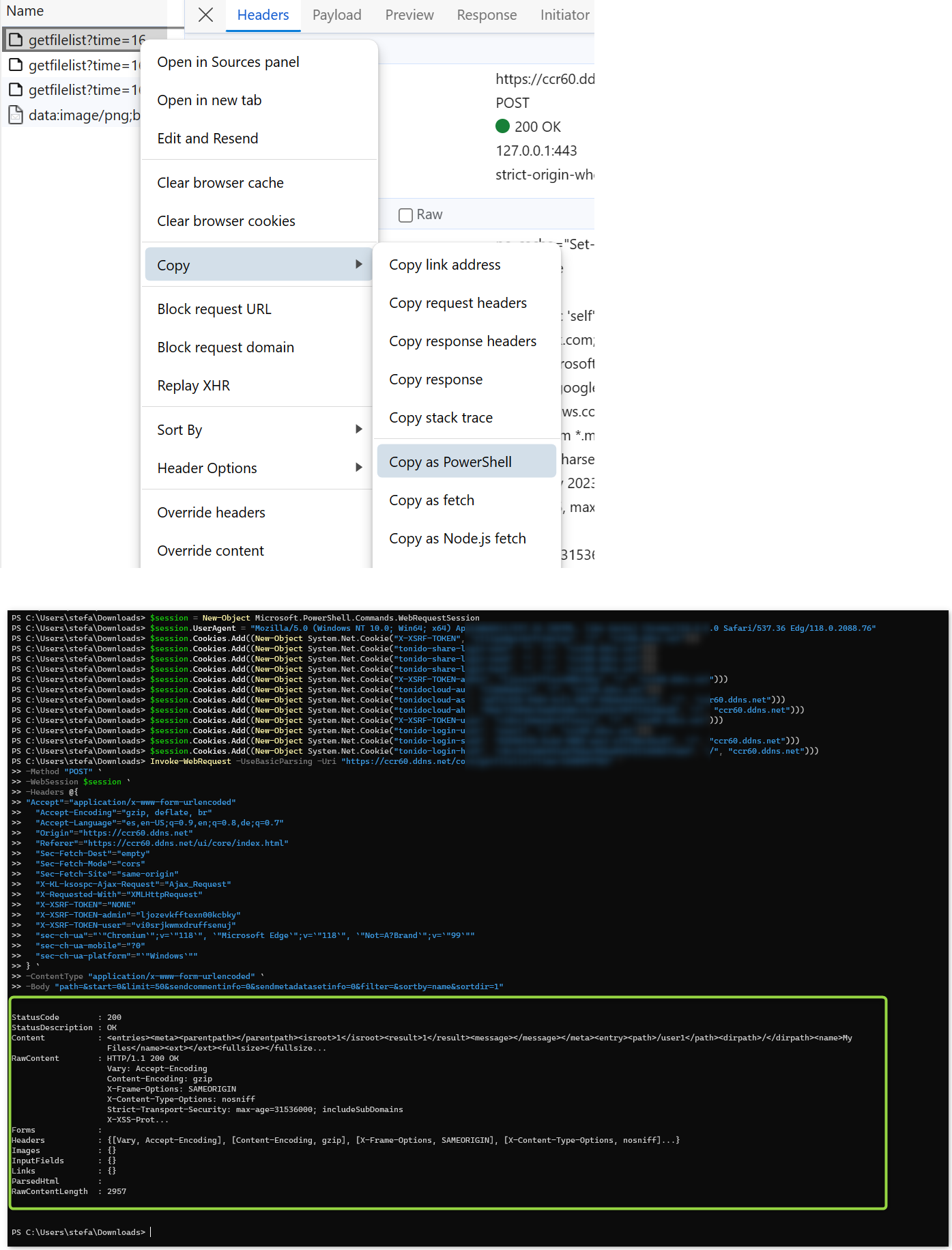
Thanks @Stefan, I believe I have been able to solve my cookie problem directly with Make.
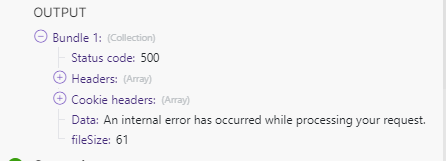
However now that I can share the cookies properly, I’m getting a 500 error code with the message, “An internal error has occurred while processing your request.” (I’m assuming that the error is not still related to authorization. But without more information I really can’t know for sure).
Is there a way to get further information regarding this error? I have searched your documentation and found information regarding five-digit errors, but none regarding the 500 code.
Error 500 means something went wrong with the request on server end. It could be the wrong parameters.
Please check for details in the server log.
Please reproduce the error again with server logs in debug mode.
To enable debug mode, open the Admin Portal, go to Settings->Server->Log Level, and set it to "DEV".
Please download the logs in FileCloud Admin Portal → SYSTEM → Checks → Generate Logs.