During backups of filecloud android app,aplication close and reopen (reloging) automatically in meantime cant use app. This action of reloging cant stop just when i somehow stop the synchronisation or i turn of the access phone to the internet.
I am experiencing the same issues.
I am using the Community Edition Filecloud installed in a digitalocean droplet which I can access via my domain, not htttps yet, just http.
I have installed the android app in a Pixel 3A XL.
The app works well until I setup the Backup Option. After that it keeps trying to log in multiple times until it eventually crashes. Each time it logs in successfully but then it tries again and again until it eventually crashes.
I was able to initially set up backup and it synced everything in my Camera Folder, but then the problem started happening.
I have tried everything including restarting the phone, uninstalling and reinstalling the app, using the code authentication method (which doesn’t work on my phone anyways).
Kindly assist
I think if we have lot of files to upload then apear this iasue. I deleted all pictures from source directory which i choose for backup and after that everything working fine. Several times when i capture new pictures or record video synchronisation of that few files goes like a charm without issue.
Hi, Thanks for the quick reply,
I think that is correct, I started seeing the problem after I synched all the photos in my Camera Folder (around 2,000 of them). I think this is a bug and I hope I will get a better option than deleting the Photos in my Phone. Thank you very for the suggestion.
You’re welcome. 
hi, how much of your photos did you delete for the issue to go away? I have like 2,000 photos, I deleted like 500 but still the app keeps constantly re-logging
I deleted all from sync directory,and after that synchonisation will be just for few pictures which i create. The problem is i guess when you habe lot of files which app try to synchronise. Synhonisation up to 50 files max no issue for me
1 Like
OK, Thanks again for the reply. I don’t think I will delete my photos further. let me give it sometime and I see if the bug gets fixed.
Today i have 5 picture which needed sync with filecloud and issue apear again…
Hi @rseke,
We will check this for you. Could you please share the device logs with us?
To retrieve app logs:
-
Go to Settings :
-
From the login page, tap the gear icon in the top right corner.
or -
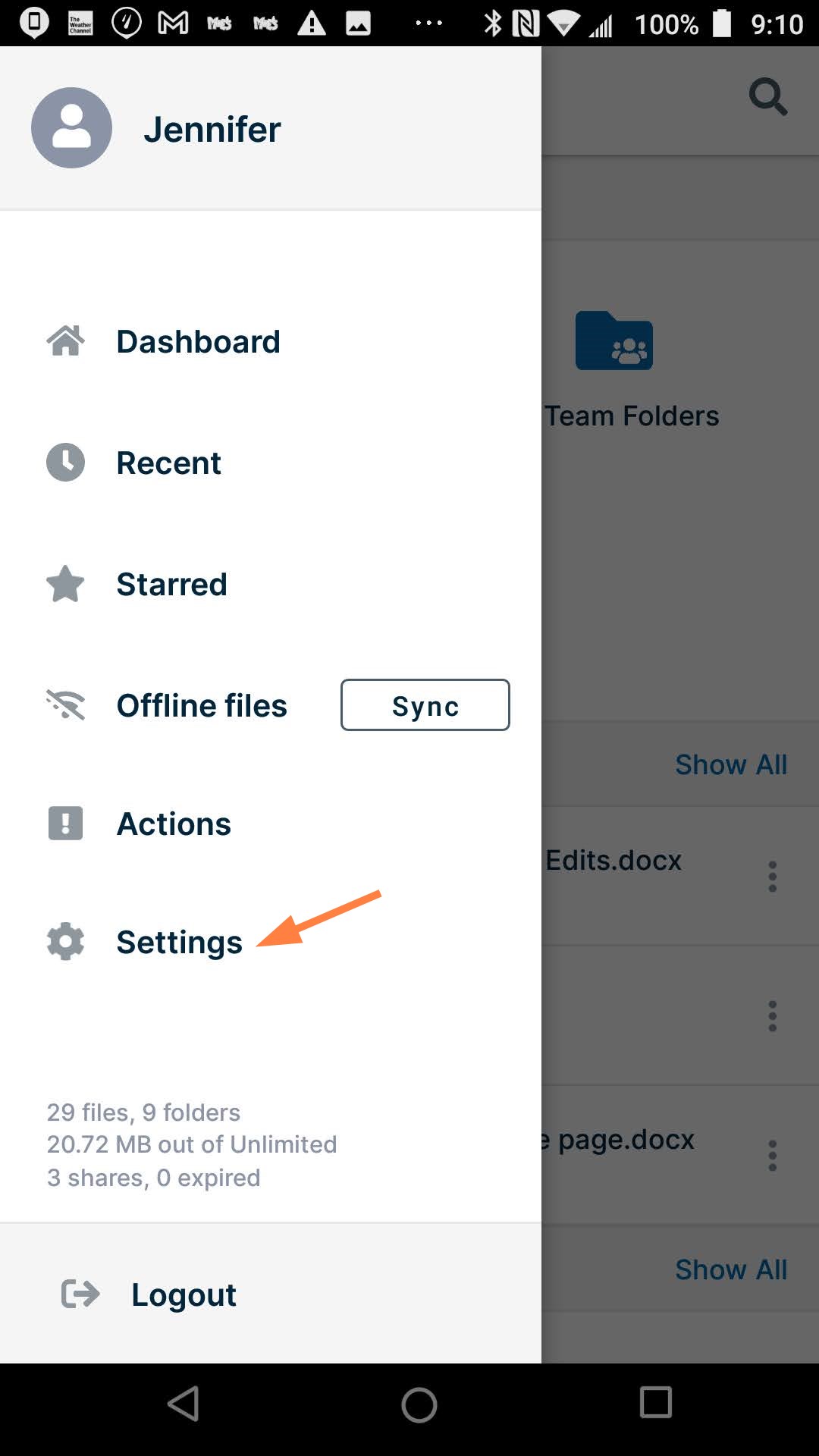
After logging in, tap the triple-bar icon, and then tap Settings.
-
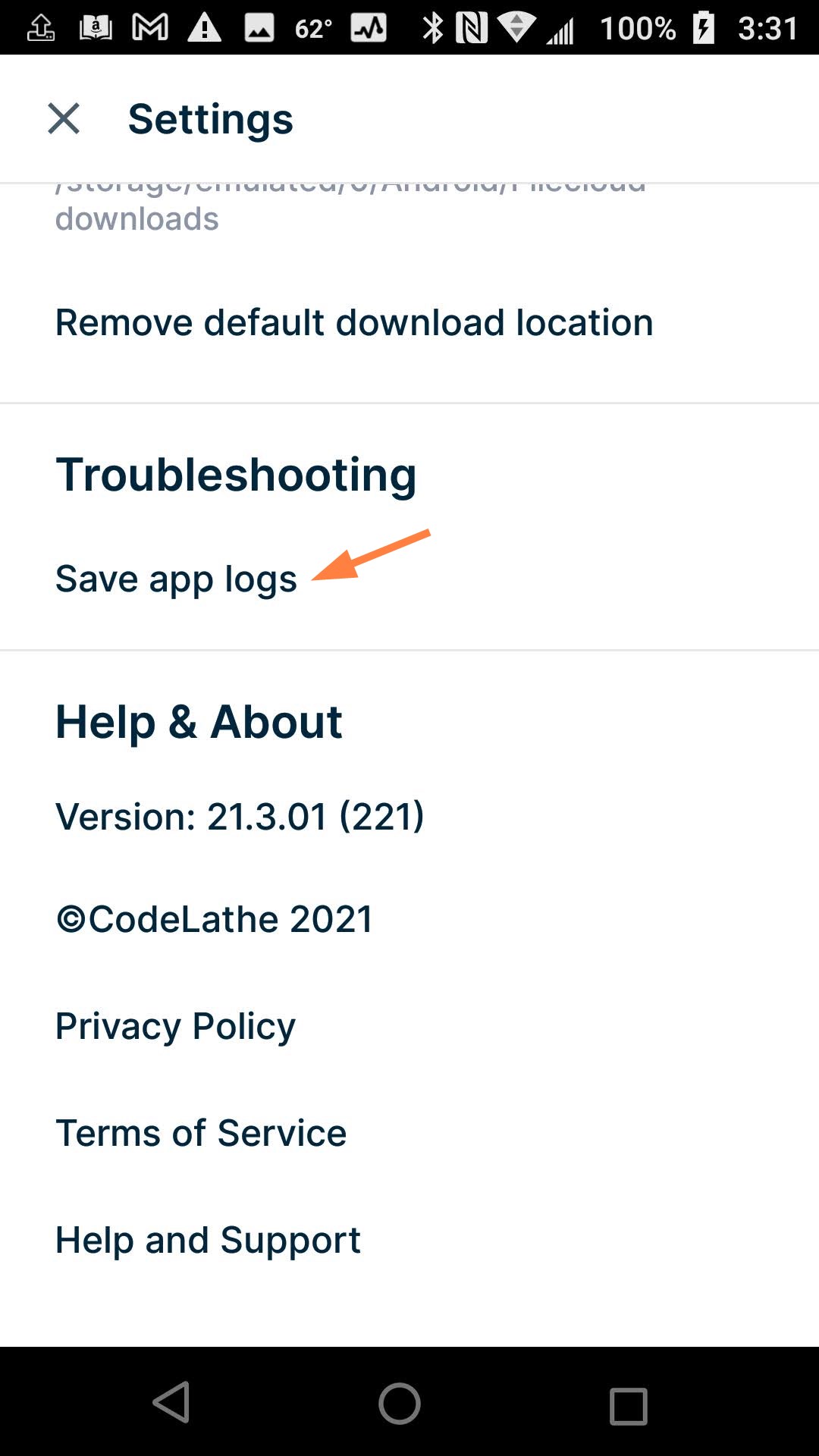
Scroll down and select Save app logs.
-
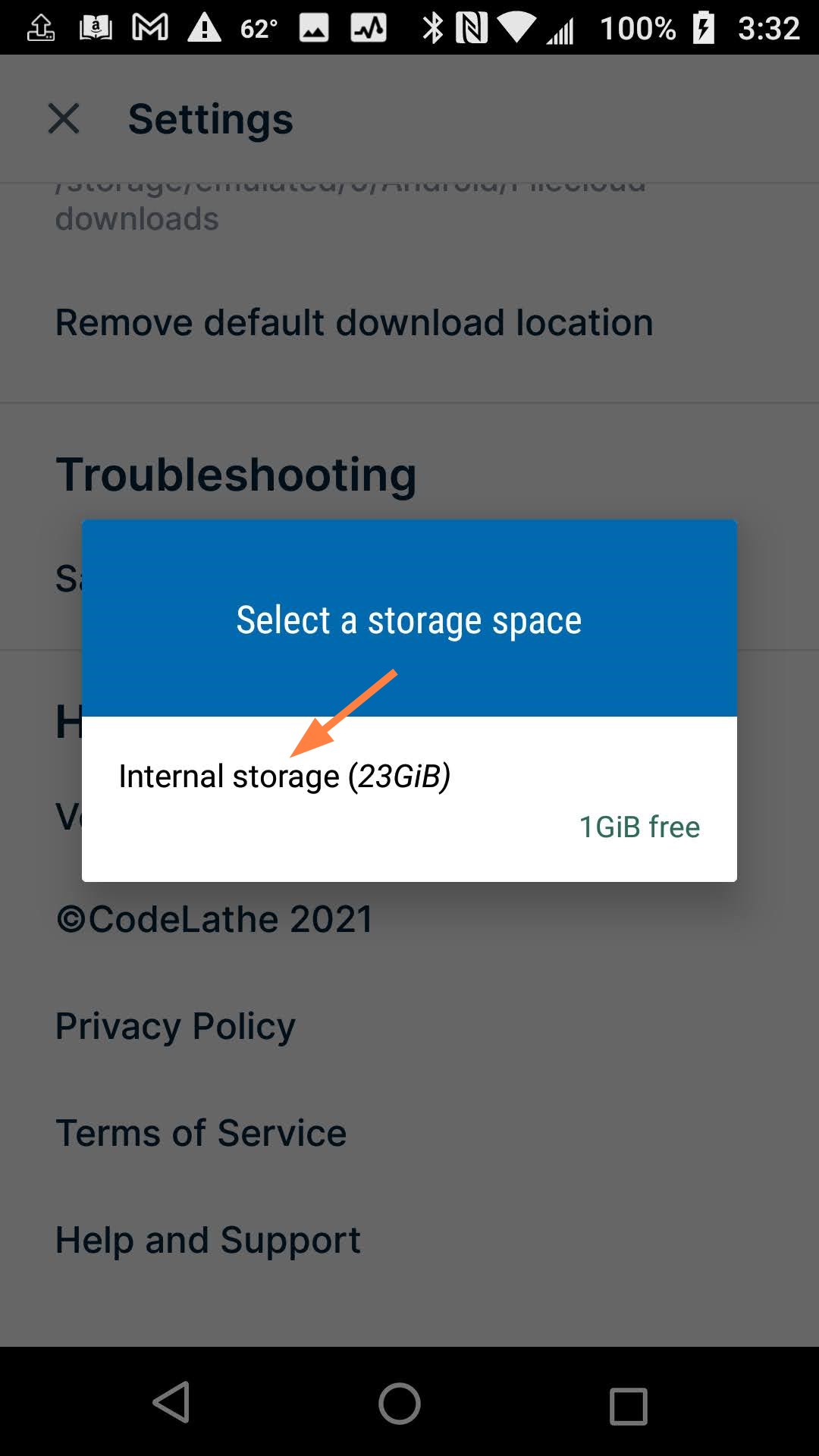
Select a destination on your device to save the log file
If you find any difficulty, kindly reach out to us.